![Projul Logo 345PX wide.png]](https://knowledge.projul.com/hs-fs/hubfs/Projul%20Logo%20345PX%20wide.png?height=40&name=Projul%20Logo%20345PX%20wide.png)
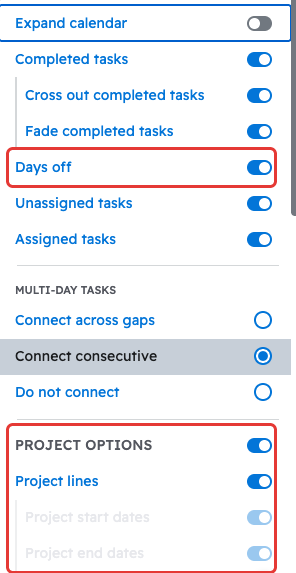
In the Schedule's "Month" view, you can show or hide items with the toggles under the "Customize" button.
Navigate to the Schedule page using the left sidebar, and then make sure the view at the top is set to "Month." You can click the "Customize" button to open a panel of toggles that control what the calendar shows, such as "Days off", "Project start dates", "Project lines", and "Project end dates".
Questions? Let's Chat.
support@projul.com
(844) 776-5853