![Projul Logo 345PX wide.png]](https://knowledge.projul.com/hs-fs/hubfs/Projul%20Logo%20345PX%20wide.png?height=40&name=Projul%20Logo%20345PX%20wide.png)
On the People page, while viewing the clients, click on the name of the client to be deleted. Press the arrow button in the upper right corner of the editor, then select “Delete Client.”
To delete a client and all related items:
- Navigate to the People page
- View the client list
- Find the client to be deleted
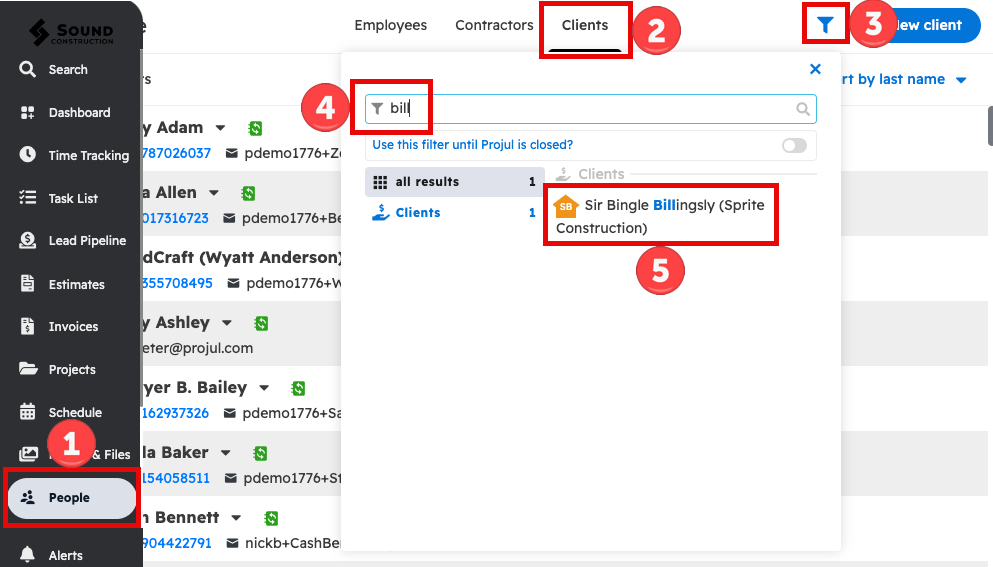
- If there are many clients, use the filter on this page to locate the exact client.
- Click on the client to be deleted
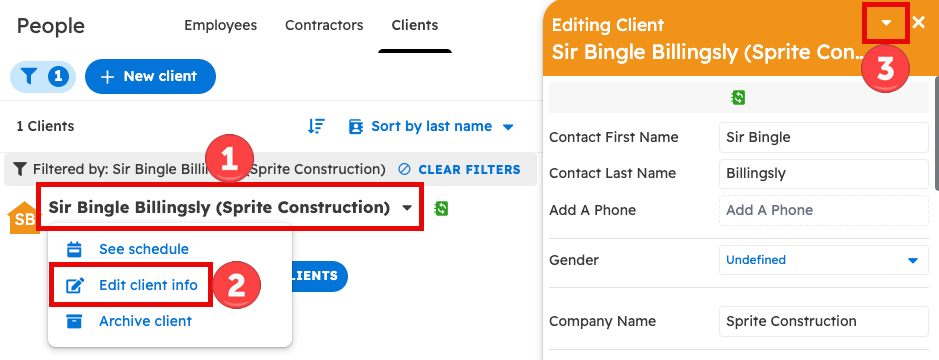
Once you find the client, click their name and select "Edit client info".
While in the edit window, click on the arrow button next to the "X" in the top right corner.
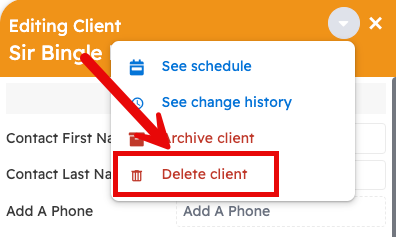
Next, select "Delete client" from the dropdown list.
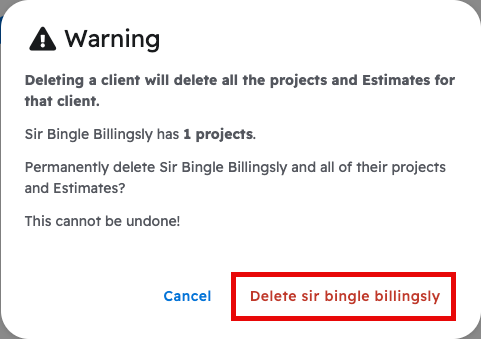
Lastly, a "Warning" pop-up asks you to confirm that the client and all of their projects and estimates will be permanently deleted. This cannot be undone. Click the "Delete" button with the client's name to confirm.
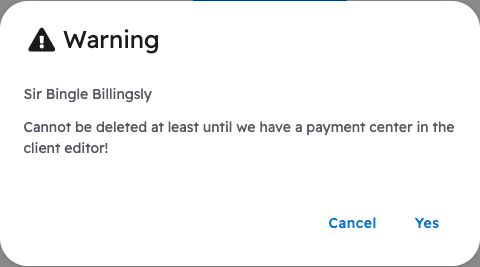
However, if the client has an invoice with a recorded payment, Projul will not delete the client or its projects. A warning will appear on the screen: The following message will appear on the screen:
Questions? Let's Chat.
support@projul.com
(844) 776-5853