![Projul Logo 345PX wide.png]](https://knowledge.projul.com/hs-fs/hubfs/Projul%20Logo%20345PX%20wide.png?height=40&name=Projul%20Logo%20345PX%20wide.png)
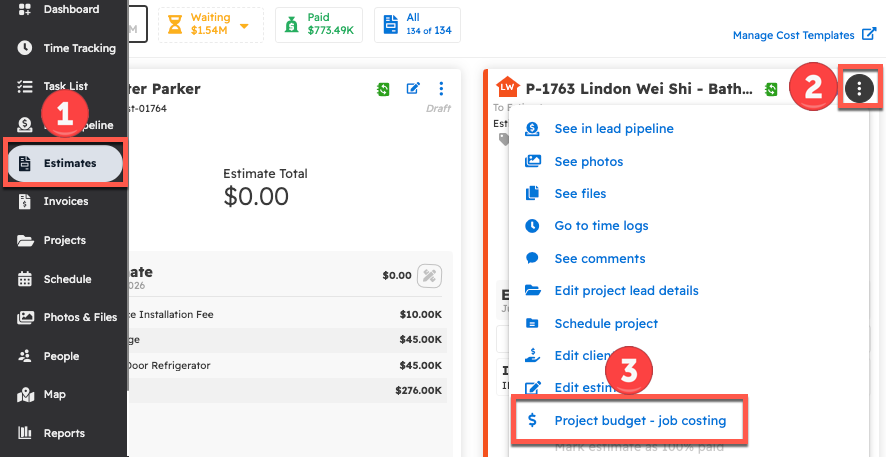
After creating the estimate, locate it on the Estimates page. Click the three-dot icon on the corresponding card, then select “Project budget – job costing.”
First, navigate to the "Estimates" page.
Locate the estimate and select the three-dot button in the top right corner of the estimate card. From the dropdown menu, select "Project budget - job costing."
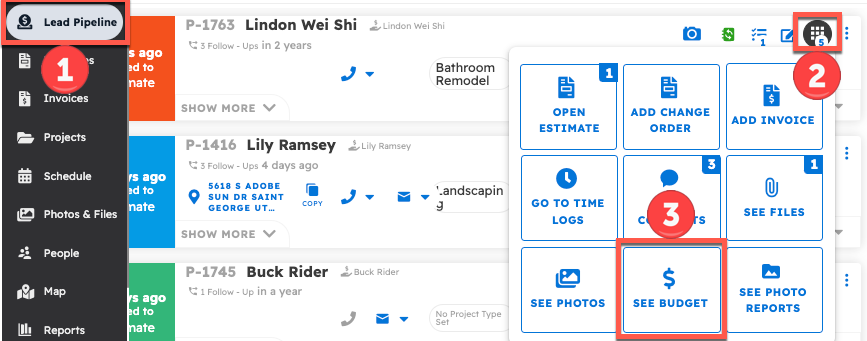
The project budget can also be accessed from the Project Lead. From the lead, open the nine-square menu and select "See Budget."
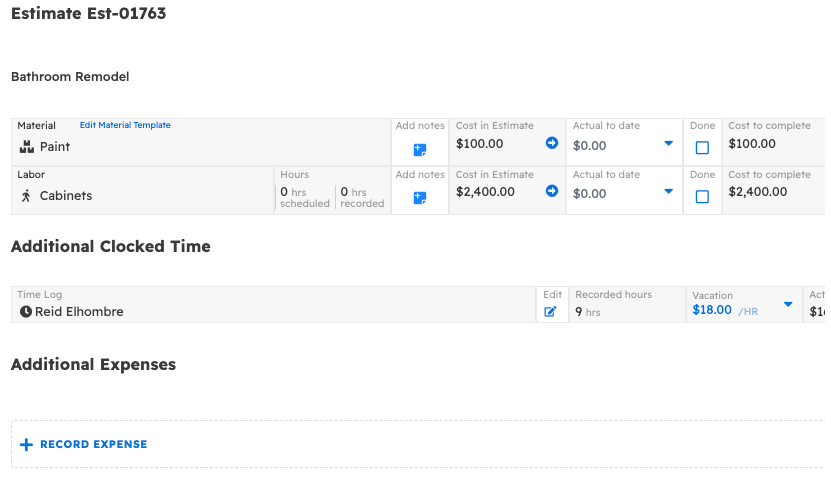
The project’s budget can now be viewed and edited.
Click the estimated company cost to populate the actual cost with that value, or enter a custom amount in the actual cost field.
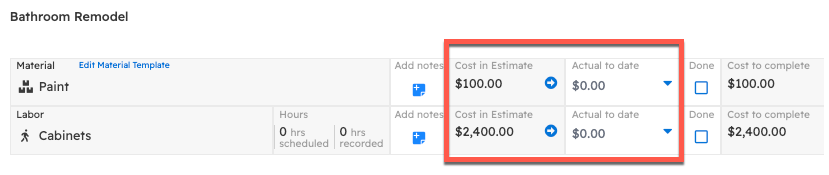
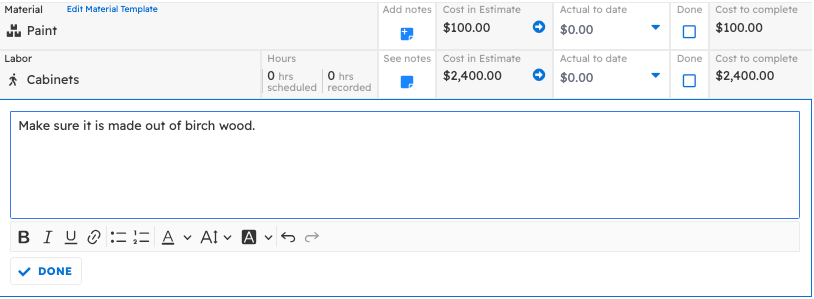
Notes can also be added to each line item for later reference.
Questions? Let's Chat.
support@projul.com
(844) 776-5853