![Projul Logo 345PX wide.png]](https://knowledge.projul.com/hs-fs/hubfs/Projul%20Logo%20345PX%20wide.png?height=40&name=Projul%20Logo%20345PX%20wide.png)
Open the dropdown next to the employee's name on the People page and select "See schedule", or filter the Schedule by employee.
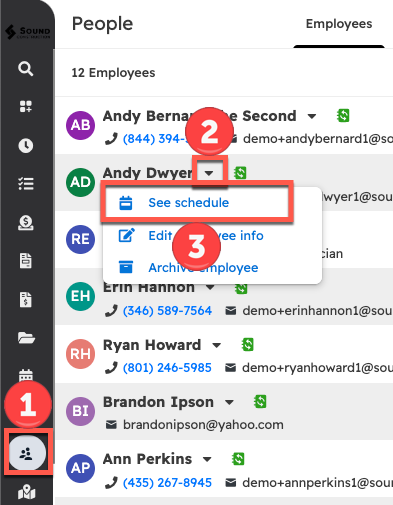
Select "See schedule" from a user on the People page
- Navigate to the People page from the left sidebar
- Open the dropdown menu of the desired employee
- Select "See schedule"
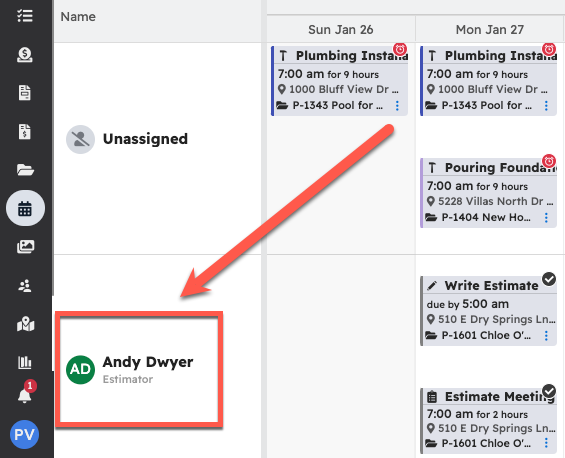
This will automatically go to the Schedule page, filtering to show only the schedule of the selected employee. Switch the view to day, month, or calendar; the filter will still apply to that employee.
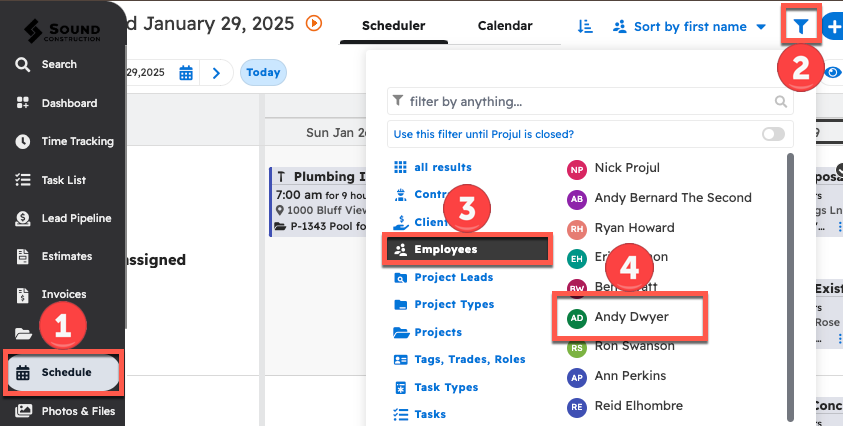
Apply a filter manually within the Schedule Page
- Navigate to the Schedule page from the sidebar
- At the top right, open the filter
- Select "employees" on the left side of the dropdown menu
- Click on the name of the desired employee.*
*Scroll to see more users, or use the search bar to narrow results.
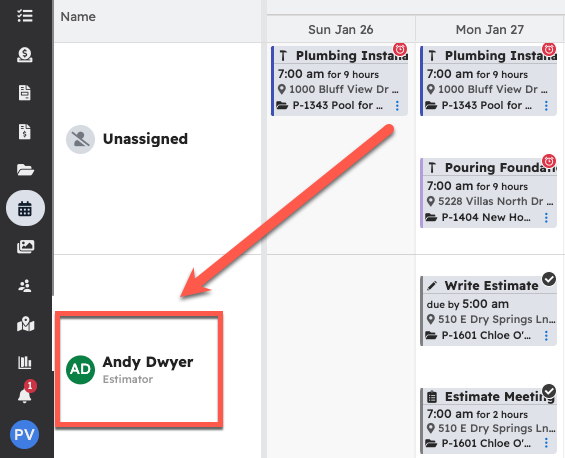
The schedule will now be filtered to that employee.
Questions? Let's Chat.
support@projul.com
(844) 776-5853