![Projul Logo 345PX wide.png]](https://knowledge.projul.com/hs-fs/hubfs/Projul%20Logo%20345PX%20wide.png?height=40&name=Projul%20Logo%20345PX%20wide.png)
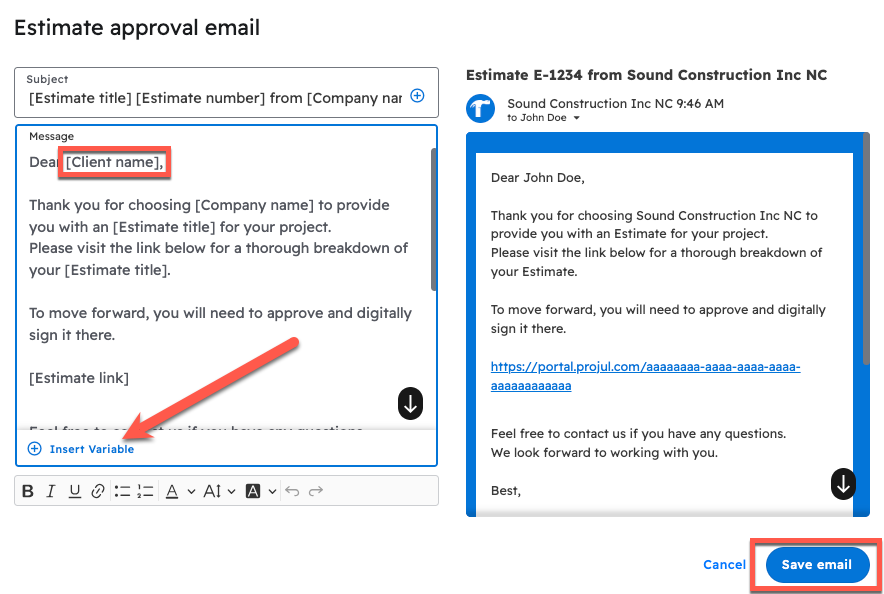
The default email templates can be edited in Settings. Open "Estimates" or "Invoices" and edit the "Estimate Approval Email", "Change Order Approval Email" or "Invoice Approval Email" field.
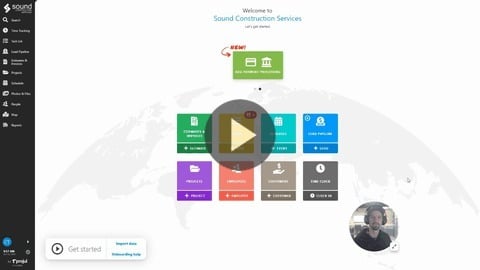
Below is a video showing how to modify email templates in Projul. Further down is a step-by-step guide on how to navigate to and change these email templates.
https://share.vidyard.com/watch/CPpjD5dPBmaxMFBu1f3eyq
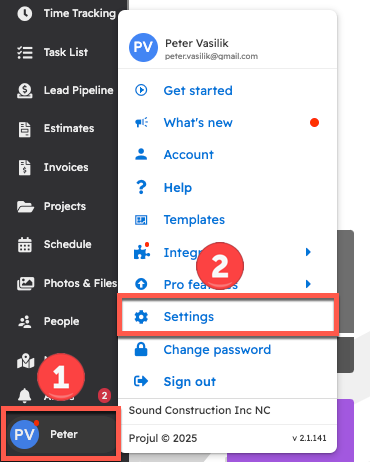
Navigate to the settings menu by clicking on the initials in the bottom left corner of Projul and opening Settings from the general menu.
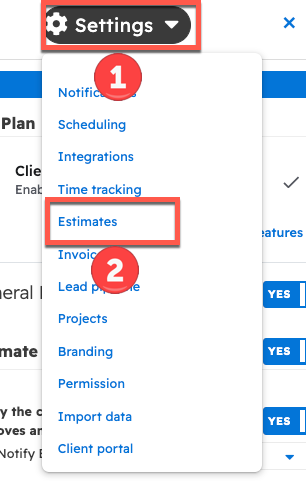
In the right sidebar, select "Estimates" from the dropdown menu.
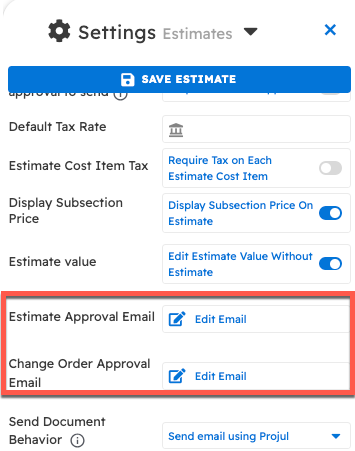
Scroll down to the "Estimate Approval Email" and "Change Order Approval Email" fields.
When editing the email, "Variables" can be added, which are automatically replaced with the relevant customer, estimate, or company info related to this estimate/project.
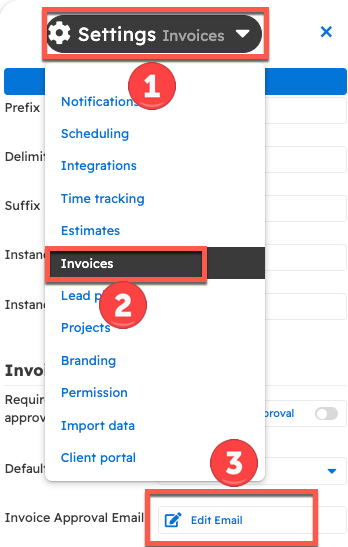
 To edit the invoice email, open the settings dropdown at the top of the panel, choose "Invoices", and scroll down to the "Invoice Approval Email" field.
Questions? Let's Chat.
support@projul.com
(844) 776-5853