![Projul Logo 345PX wide.png]](https://knowledge.projul.com/hs-fs/hubfs/Projul%20Logo%20345PX%20wide.png?height=40&name=Projul%20Logo%20345PX%20wide.png)
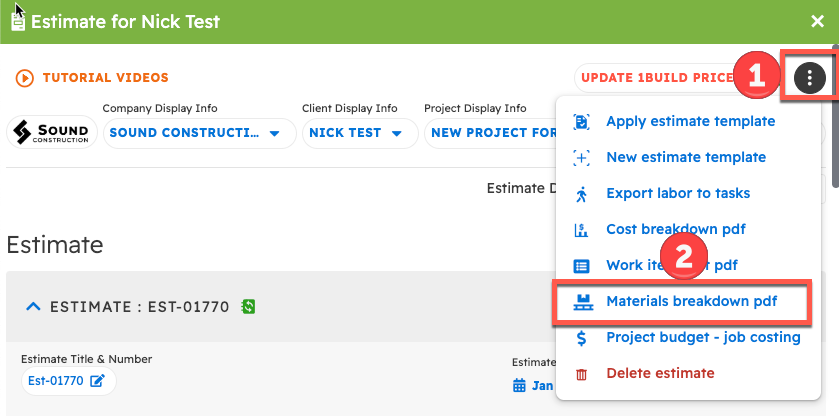
On desktop, with the estimate open, click the 3-dot button in the top right corner and select "Materials Breakdown PDF."
To get a materials list from an estimate:
- Open the "Estimates" section from the left sidebar.
- Choose an estimate to edit.
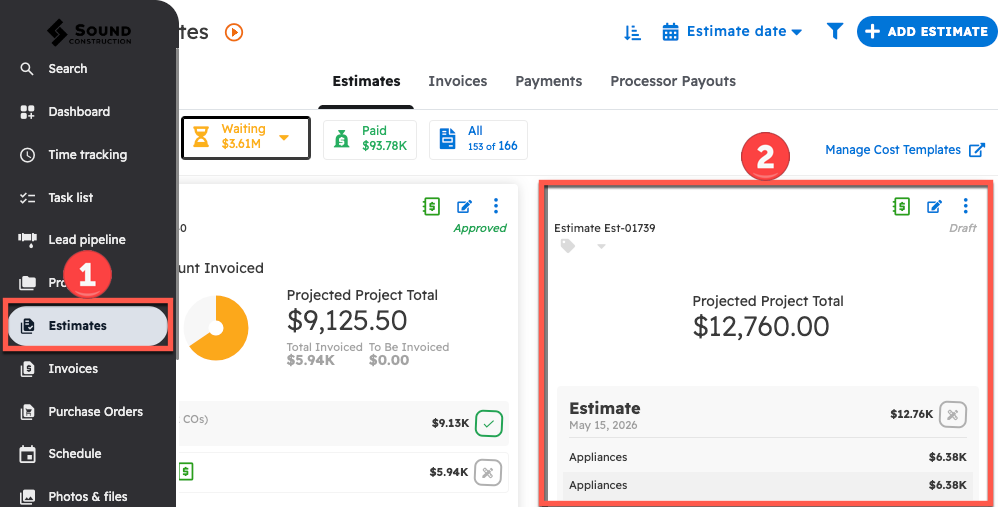
To view a material list based on an estimate:
- Click the 3-dot button in the top right corner of the estimate.
- Select "Materials breakdown pdf" from the list on desktop.
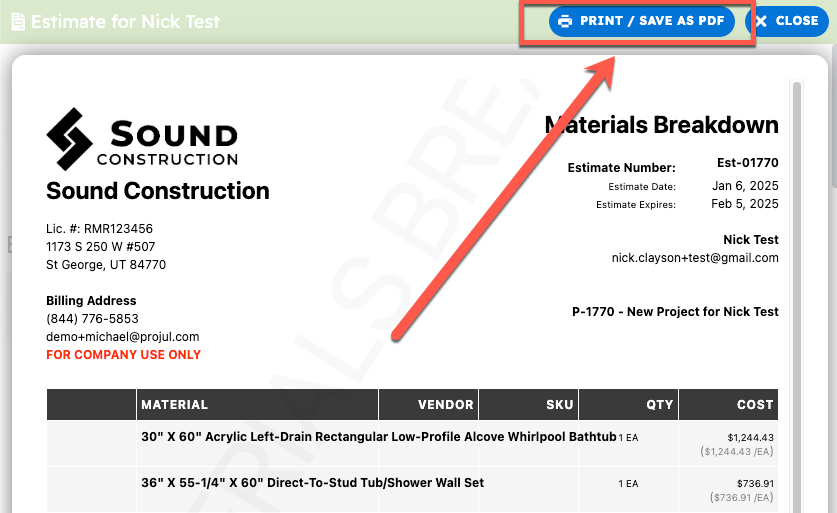
Next, you will be shown the material sheet, and you can print or save by clicking the blue "Print / Save as PDF" in the top right corner.
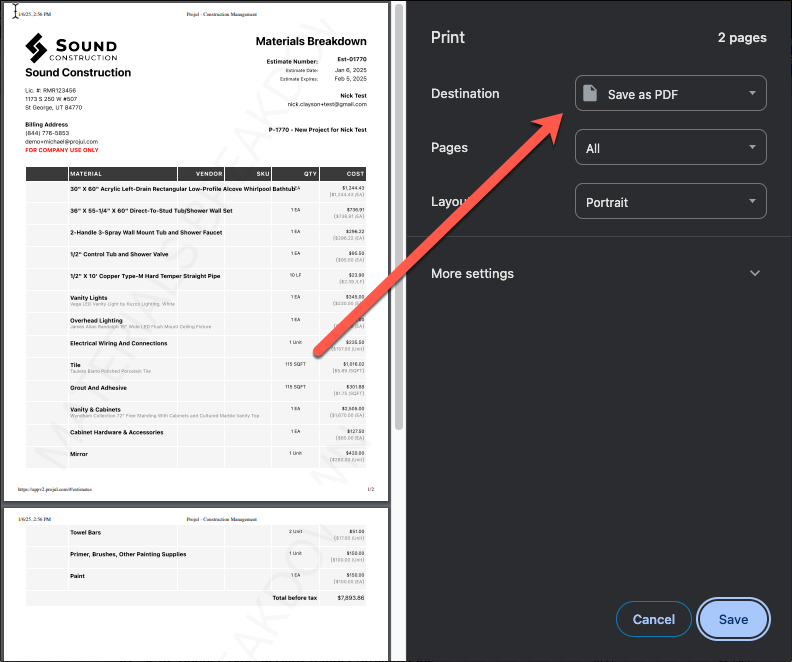
From there, you can specify if you want to print, or if you want to save the document as a PDF.
Questions? Let's Chat.
support@projul.com
(844) 776-5853