![Projul Logo 345PX wide.png]](https://knowledge.projul.com/hs-fs/hubfs/Projul%20Logo%20345PX%20wide.png?height=40&name=Projul%20Logo%20345PX%20wide.png)
A project can be given a start and end date with the "Project Start Date" and "Complete Project By" fields.
To give a project a start and end date:
- Navigate to the Projects menu from the left sidebar
- Select the edit icon to edit the desired project
- Scroll down to the "Project Start Date" and "Complete Project By" fields within the project editor
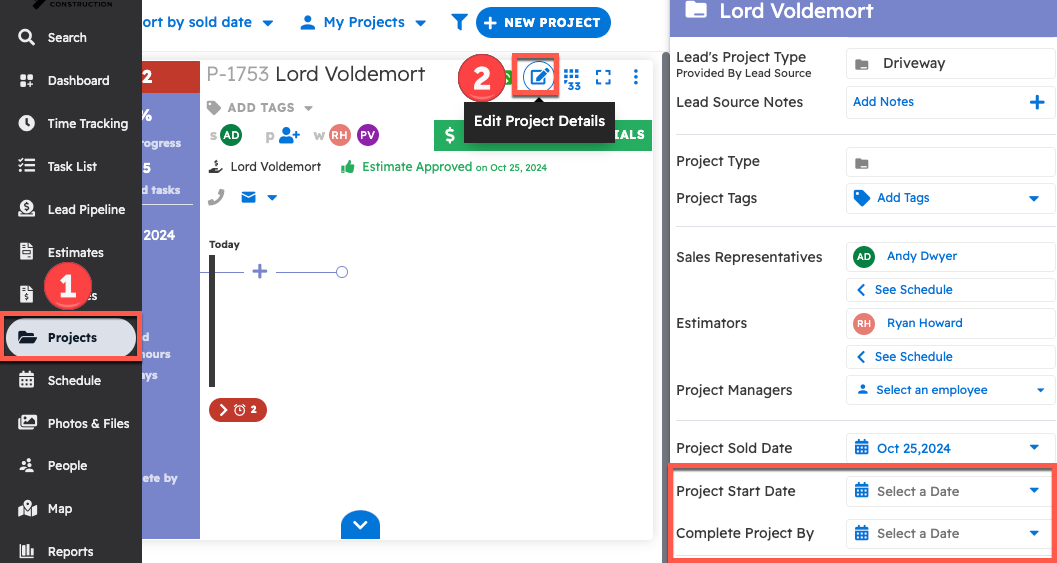
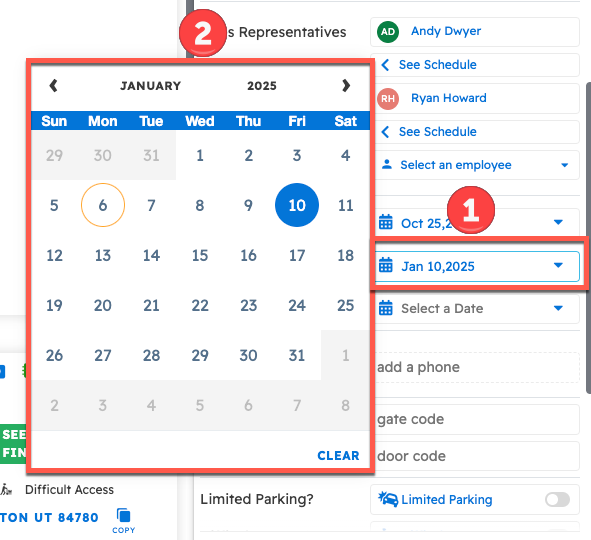
Click "Select a Date" and pick dates from the calendar for the planned start and complete by dates.
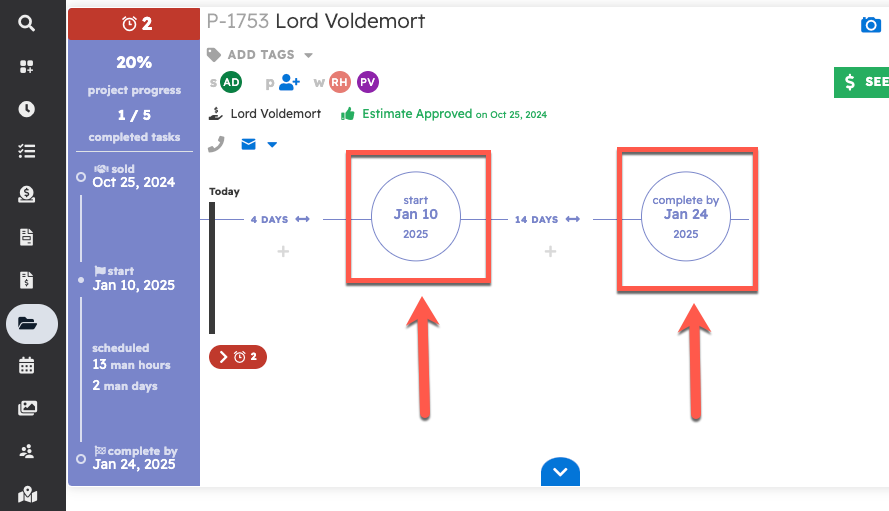
Once a date has been selected for one or both of these fields, they will show up on the project's timeline within the Projects page.
Questions? Let's Chat.
support@projul.com
(844) 776-5853