![Projul Logo 345PX wide.png]](https://knowledge.projul.com/hs-fs/hubfs/Projul%20Logo%20345PX%20wide.png?height=40&name=Projul%20Logo%20345PX%20wide.png)
Describe what you've priced for the house and your AI builds the estimate in Projul, sections and totals included.
Say this
Build an estimate in Projul for [Kessler Residence] on the [Ashford] plan. General conditions: [building permit $2,400] no markup, [supervision, 240 hours at $52] plus [40]%. Sitework: [house excavation, 480 cu yd at $9.50] plus [20]%. Foundation: [footings, 34 cu yd at $168] plus [18]%. Apply our [Utah] sales tax and mark labor not taxable.
What happens
Your AI reports the estimate number and total when done. Open "Estimates" and the new Draft is at the top, sections and subtotals on the card.
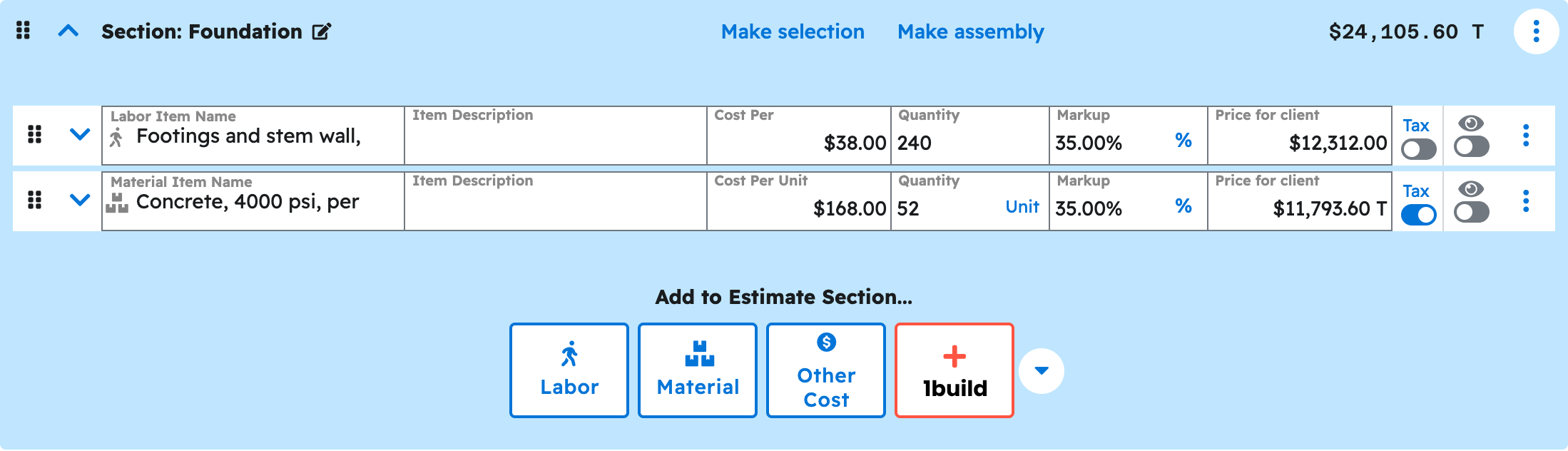
Note: Tax applies only when you name a rate from your Projul settings. Your AI needs a project or lead to hold the estimate first. See How do I have my AI add a new lead?
Questions? Let's Chat.
support@projul.com
(844) 776-5853