![Projul Logo 345PX wide.png]](https://knowledge.projul.com/hs-fs/hubfs/Projul%20Logo%20345PX%20wide.png?height=40&name=Projul%20Logo%20345PX%20wide.png)
Describe the phases of a job, how long each takes, and who does it, and your AI creates every task in Projul.
Say this
Build the schedule for [Thompson Deck Rebuild] in Projul starting [Monday September 8]. Demo takes [1 day] with [Grace Oakes] and [Priya Hutton]. Footings and framing take [3 days] with the same two plus [Tina Abbott]. Decking is [2 days] with [Grace] and [Priya]. Railings and finish are [1 day] with [Grace]. Skip weekends. Work days are [8 to 4].
Read the tasks on [Thompson Deck Rebuild] in Projul and create the same tasks on [Miller Deck Rebuild], starting [October 6], same durations, same crews, no checklists yet.
What happens
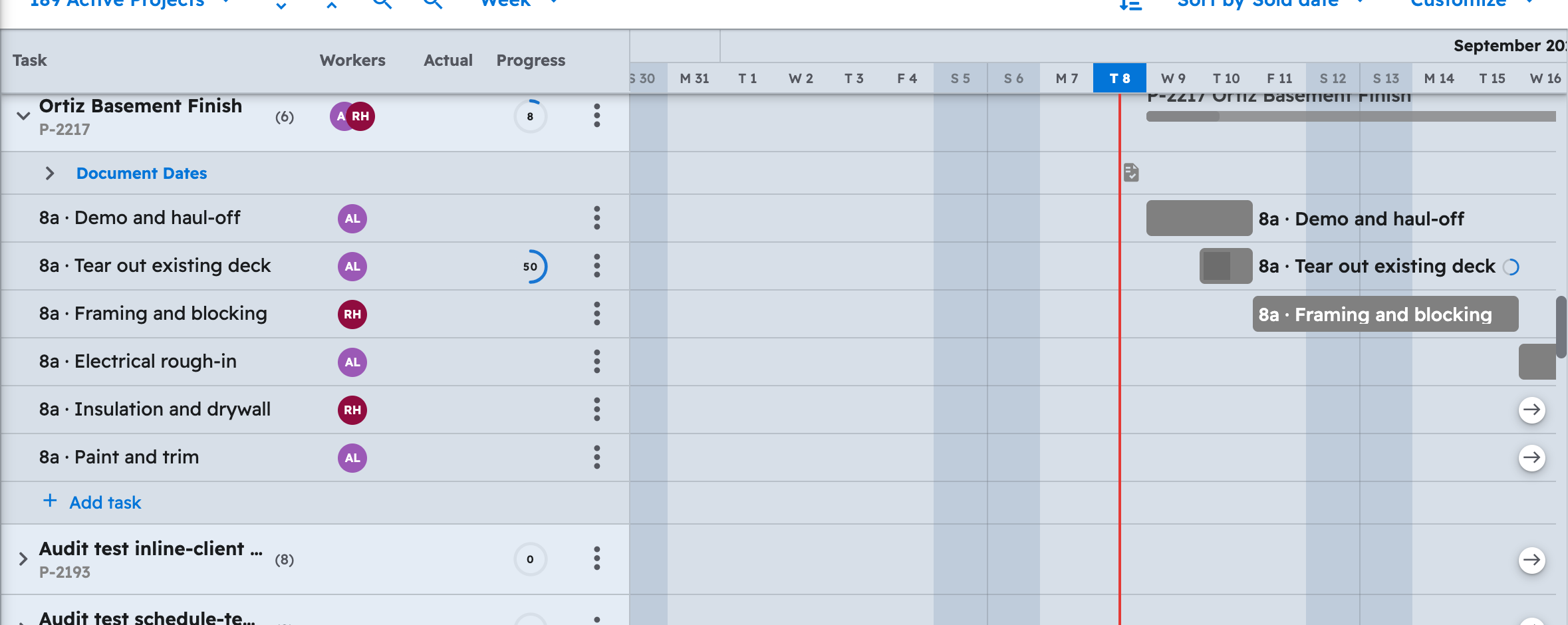
Your AI asks you to approve each task as it creates it, one at a time. In Projul, open "Projects" and switch to the "Gantt" view to see every task as a bar on its dates; "Schedule" shows the same tasks on each crew member's row. To start from a saved template instead, see How do I have my AI start a project from a project or schedule template?
Note: Task dependencies, the links between tasks that shift together on the Gantt, are not available to your AI; set those in Projul afterward.
Questions? Let's Chat.
support@projul.com
(844) 776-5853