![Projul Logo 345PX wide.png]](https://knowledge.projul.com/hs-fs/hubfs/Projul%20Logo%20345PX%20wide.png?height=40&name=Projul%20Logo%20345PX%20wide.png)
Describe the job and your AI builds a priced estimate in Projul, ready to review as a Draft.
Say this
Build an estimate in Projul for [Thompson Deck Rebuild]. Three sections: demolition and disposal, framing and decking, railings and finish. Tear-out is [16] hours of labor at [$45]/hr with [40]% markup and a [20-yard dumpster at $450] plus [15]%. Framing lumber is about [$1,850] plus [25]%, composite decking [320 sq ft at $6.75] plus [25]%, and [48] hours of install labor at [$55] plus [40]%. Railing is [42 lin ft at $38] plus [25]% and [12] hours to install at [$55] plus [40]%. Apply our [Utah] sales tax.
On the [Thompson Deck Rebuild] estimate in Projul, move the [20-yard dumpster] line into a new [Permits and fees] section, and hide the prices on the individual lines in [Demolition and disposal].
What happens
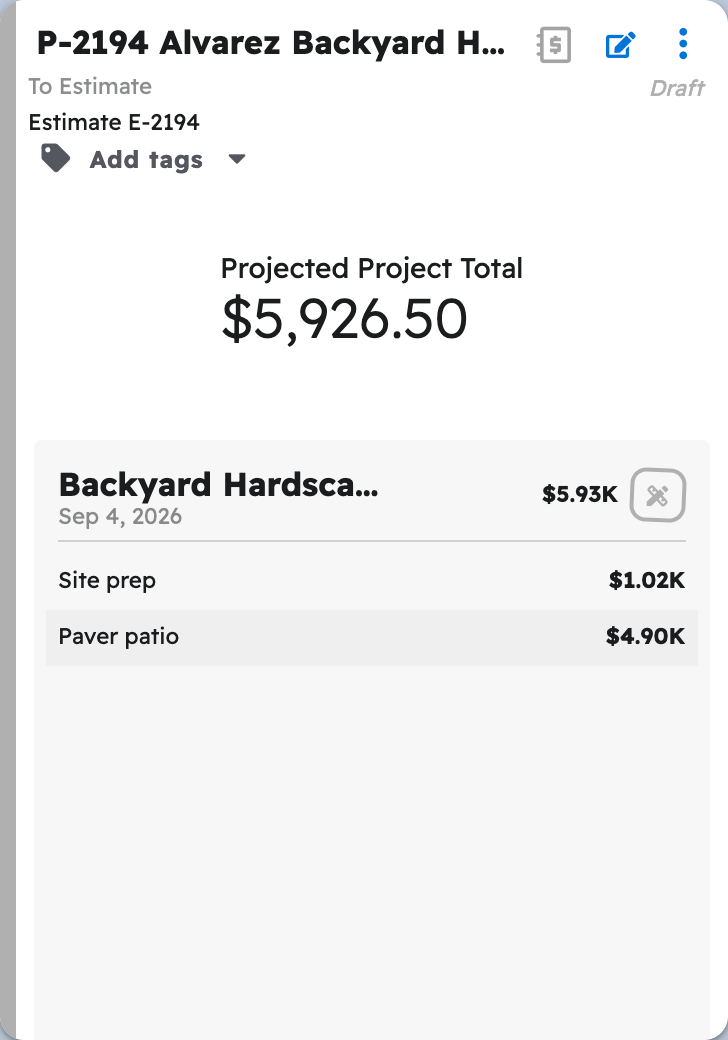
Your AI asks you to approve each step, then reports the estimate number and projected total. In Projul, the new Draft appears at the top of "Estimates", with each section's subtotal on the card.
Note: Tax is applied only when you name a rate from your Projul settings; without one, the estimate is created with no tax.
Questions? Let's Chat.
support@projul.com
(844) 776-5853