![Projul Logo 345PX wide.png]](https://knowledge.projul.com/hs-fs/hubfs/Projul%20Logo%20345PX%20wide.png?height=40&name=Projul%20Logo%20345PX%20wide.png)
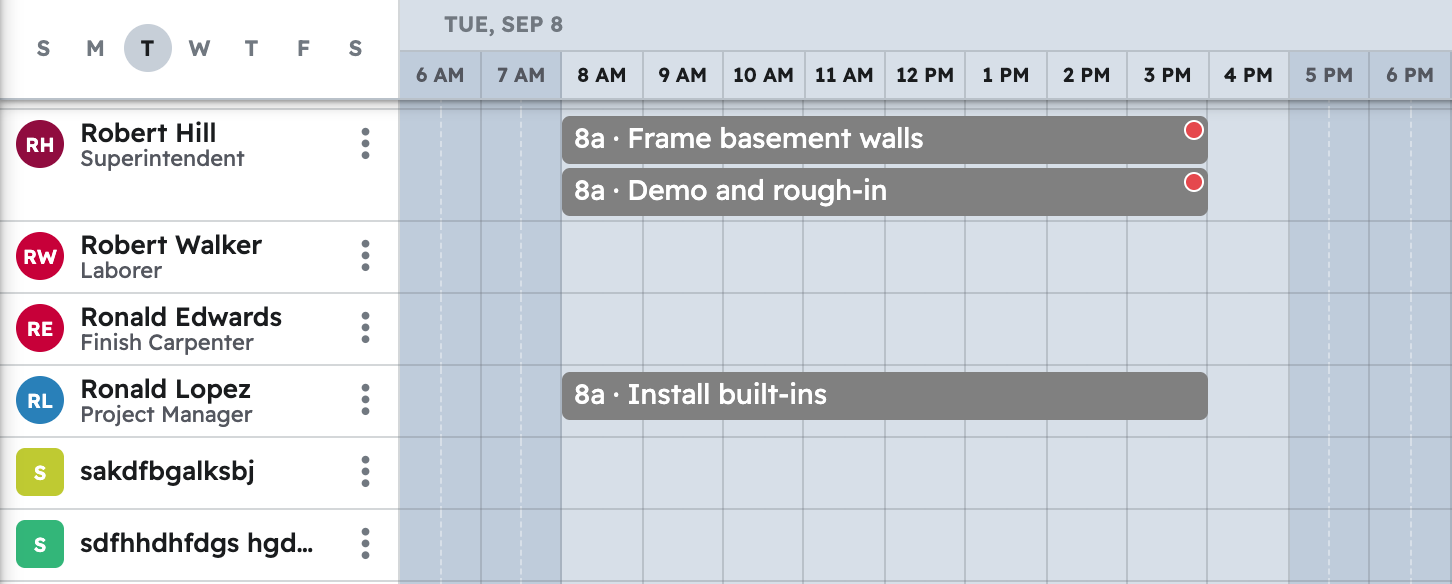
Tell your AI the phase, the lot, the dates and the crew, and it puts the task on the "Schedule."
Say this
Create a task on [Lot 214 Shell Framing] in Projul called [Wall framing and stand-up] for [Monday through Wednesday], [7 am to 3:30 pm] each day, with the [Framing crew] team on it.
Rain [Wednesday]. In Projul, move [Roof framing and sheathing] on [Lot 214] from [Wednesday] to [Thursday and Friday] and move the [framing inspection] deadline to [the following Monday].
What happens
Your AI confirms the dates and people, then puts the task on the "Schedule" for each person. Click "Schedule" in Projul to see it.
Note: Your AI schedules in your Projul time zone; only active employees and subcontractors can be assigned, and time tracking stays in Projul.
Questions? Let's Chat.
support@projul.com
(844) 776-5853