![Projul Logo 345PX wide.png]](https://knowledge.projul.com/hs-fs/hubfs/Projul%20Logo%20345PX%20wide.png?height=40&name=Projul%20Logo%20345PX%20wide.png)
Tell your AI what has to happen on the deck job, when, and who's on it, and it puts the tasks on Projul's "Schedule."
Say this
Schedule the [Thompson Deck Rebuild] job in Projul. [Monday]: permit pickup, a deadline on [Marco Reyes]. [Tuesday 7 am to 9 am]: material drop, [framing lumber, footing tubes, concrete, hardware]. [Wednesday 7 am to 4 pm]: tear out the old deck, [Grace Oakes] and [Priya Hutton]. [Thursday 7 am to 4 pm]: layout and footings, same crew. [Friday 9 am to 10 am]: footing inspection, a deadline on [Marco Reyes]. [Monday] and [Tuesday], 7 am to 4 pm: ledger, beams and joists, [Grace Oakes] and [Tomas Vega]. [Wednesday] and [Thursday]: decking and fascia, same crew. [Friday]: railing, [Grace Oakes]. [Following Monday 8 am]: final walk with [Marco Reyes].
What happens
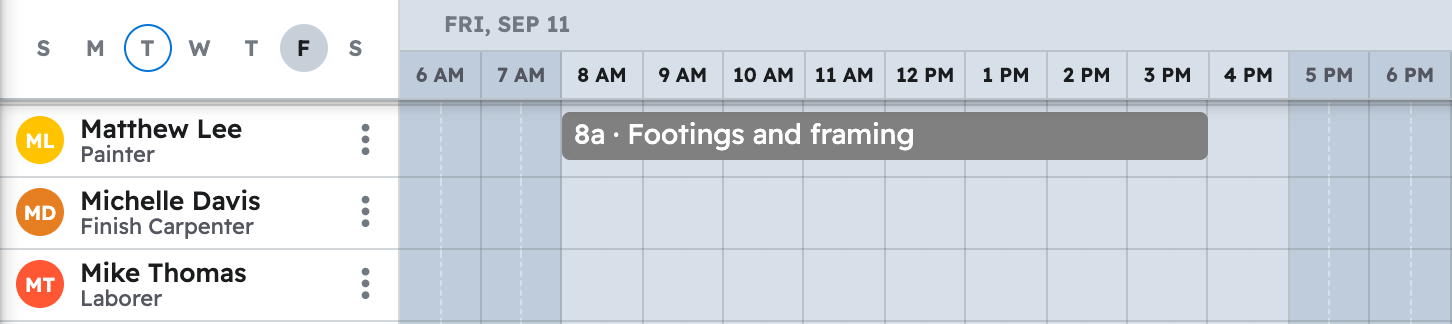
Your AI creates each task and places it on the "Schedule" for the crew named. Click "Schedule" in Projul for that week: each task sits on the row of the person assigned.
Note: Your AI schedules in your Projul time zone; the time clock is not available to it, so a task on the schedule is not a timesheet entry.
For every prompt in one place, see Copy-paste prompts: deck builders.
Questions? Let's Chat.
support@projul.com
(844) 776-5853