![Projul Logo 345PX wide.png]](https://knowledge.projul.com/hs-fs/hubfs/Projul%20Logo%20345PX%20wide.png?height=40&name=Projul%20Logo%20345PX%20wide.png)
Tell your AI the job, the task, when it happens and who is on it, and it creates the task in Projul.
Say this
Create a task on [Whitaker 200A Service Upgrade] in Projul called [Service change, power off] for [Tuesday] from [7 am to 4 pm], and put [Marcus Hale] and [Tyler Boone] on it.
The drywall crew starts a week late on [Perez Kitchen Remodel]. In Projul, move [Rough-in] to [next Tuesday and Wednesday] and push [Rough inspection] to [next Thursday].
What happens
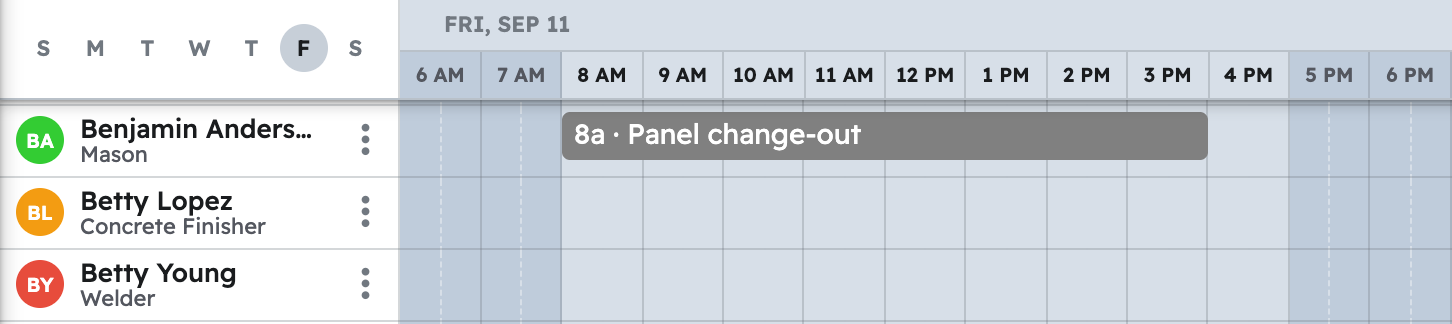
Your AI confirms the date and people before it saves, then places the task on the "Schedule" for those people. Name a team instead and everyone currently on it is assigned, kept even if the roster changes later. In Projul, click "Schedule" and go to that week to see it.
Note: Your AI schedules in your Projul time zone and cannot clock anyone in or read time logs.
Questions? Let's Chat.
support@projul.com
(844) 776-5853