![Projul Logo 345PX wide.png]](https://knowledge.projul.com/hs-fs/hubfs/Projul%20Logo%20345PX%20wide.png?height=40&name=Projul%20Logo%20345PX%20wide.png)
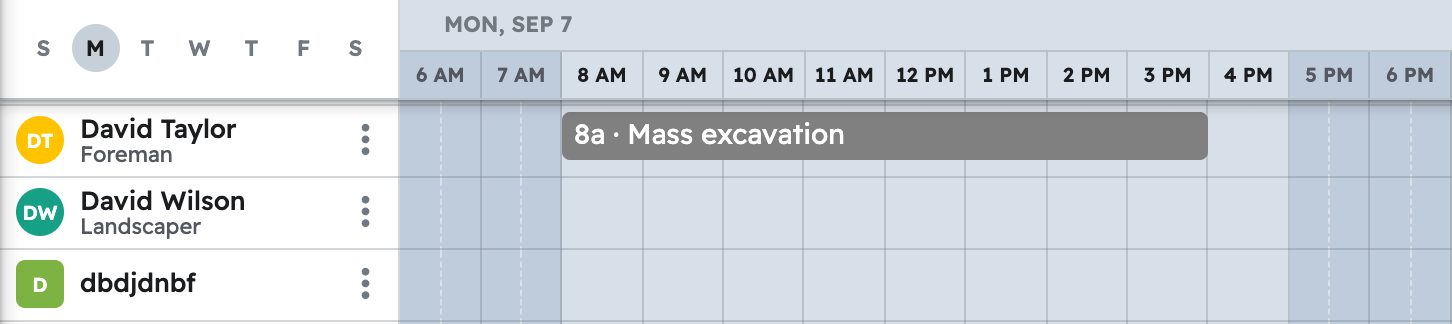
Tell your AI the phase, the job, the dates, and who is running it, and it puts the task on the "Schedule."
Say this
Create [Mass excavation and haul-off] on [Halvorsen Septic and Driveway] in Projul for [Monday through Wednesday, 7 am to 4 pm], with [Luis Ortega] all three days and [Tom Hedges] on [Wednesday] only.
The base rock is delivering [Wednesday] instead of [Thursday]. Move [Place and compact base] on [Halvorsen Septic and Driveway] in Projul to [Wednesday, 7 am to 4 pm] and tell me who else is booked that day.
What happens
Your AI asks you to approve, then puts the task on the "Schedule" for each person and day. Click "Schedule" in Projul to see it.
Note: Your AI schedules in your Projul time zone and cannot clock anyone in or out.
Watch it work
Short videos of Projul AI Connect doing this kind of job:
New to Projul AI Connect? Watch the overview video (2:37): what it is, how to set it up, and an estimate built from site notes.
Questions? Let's Chat.
support@projul.com
(844) 776-5853