![Projul Logo 345PX wide.png]](https://knowledge.projul.com/hs-fs/hubfs/Projul%20Logo%20345PX%20wide.png?height=40&name=Projul%20Logo%20345PX%20wide.png)
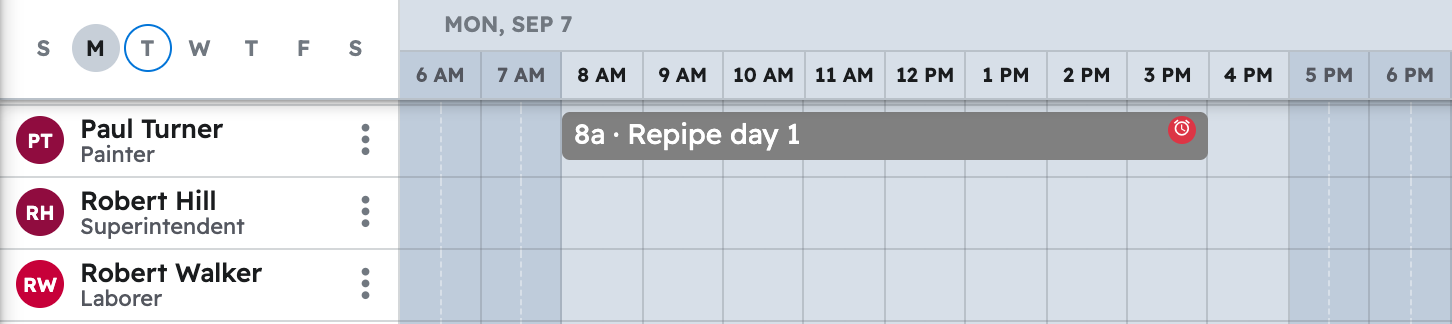
Tell your AI the work, the job, the date and who's on it, and it creates the task and puts it on Projul's Schedule.
Say this
Build the schedule in Projul for [Canyon Ridge Bath Addition Rough-In] starting [Monday, September 15]: [DWV rough] Monday and Tuesday, [Water rough and top-out] Wednesday and Thursday, [Rough inspection] as a deadline on Friday, [Tub and pan set] the following Monday, [Trim-out and set fixtures] the Wednesday and Thursday after tile and paint, and [Final inspection] as a deadline the Monday after that. Put [Reggie Salas] and [Dev Marsh] on the rough and the top-out.
What happens
Your AI asks you to approve, then confirms the dates and people. Click "Schedule" in Projul to see it; the task also shows on "Task list", "Timeline" and "Gantt".
Note: Your AI schedules in your Projul time zone and cannot clock anyone in or read time logs; those stay in Projul. See Which Projul features are not available to my AI yet?
Questions? Let's Chat.
support@projul.com
(844) 776-5853