![Projul Logo 345PX wide.png]](https://knowledge.projul.com/hs-fs/hubfs/Projul%20Logo%20345PX%20wide.png?height=40&name=Projul%20Logo%20345PX%20wide.png)
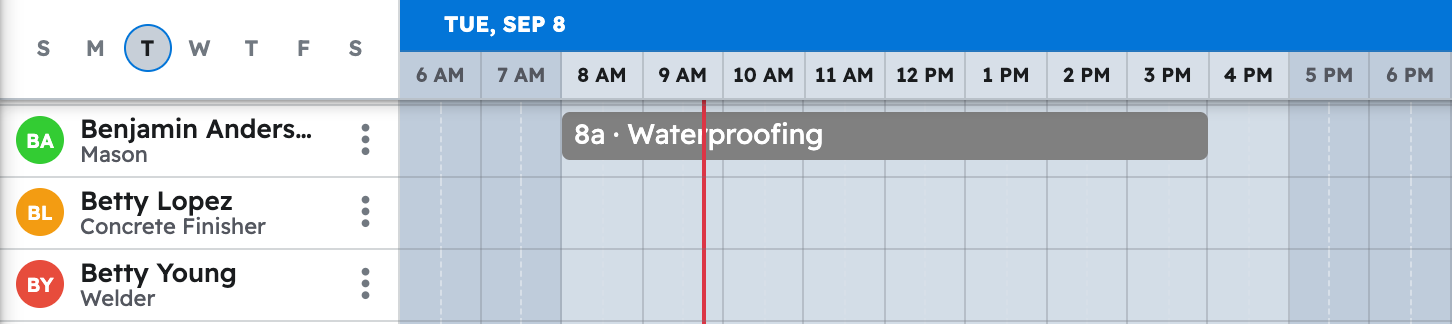
Give your AI the phases, durations, crews and start date, and it builds the job as tasks on Projul's "Schedule".
Say this
Build the schedule for [Castellano Master Bath Tile] in Projul starting [Monday March 9]. Demo and haul-off is [1 day] with the [prep crew]. Substrate prep and self-leveler is [1 day] with the [prep crew]. Backer board and shower pan is [1 day] with [Marisol Vega]. Waterproofing is [1 day] with [Marisol Vega], then [1 day] of flood test with nobody on it. Setting the walls and floor is [3 days] with [Marisol Vega] and [Tomas Reed]. Then [1 day] of mortar cure with nobody on it. Grout and clean is [1 day] with [Tomas Reed]. Skip weekends. Work days are [7:30 am to 4 pm].
What happens
Click "Schedule" and go to that week; each task sits on the row of everyone assigned, and also shows under "Task list", "Timeline" and "Gantt".
Note: Chat assistants cannot upload photos straight from your computer; job-site photos still go in through Projul. See How do I have my AI upload a job-site photo or document?
Questions? Let's Chat.
support@projul.com
(844) 776-5853