![Projul Logo 345PX wide.png]](https://knowledge.projul.com/hs-fs/hubfs/Projul%20Logo%20345PX%20wide.png?height=40&name=Projul%20Logo%20345PX%20wide.png)
Tell your AI what has to happen, when, and who's on it, and it creates the tasks and puts them on Projul's "Schedule."
Say this
Schedule the [Delgado Whole House Windows] job in Projul. [Monday 8 am to 11 am]: technical measure, [Marco Reyes]. [Tuesday]: place the factory order, a task on [Marco Reyes], with a deadline the same day. [October 6]: expected delivery, a deadline. [October 7, 7 am to 9 am]: receive and inspect the units, [Tomas Vega]. [October 7, 9 am to 4 pm] and [October 8, 7 am to 4 pm]: install, [Tomas Vega] and [Ruth Bell]. [October 9, 7 am to 3 pm]: capping and trim, [Wes Duran]. [October 10, 8 am to 9 am]: final walkthrough, [Marco Reyes].
What happens
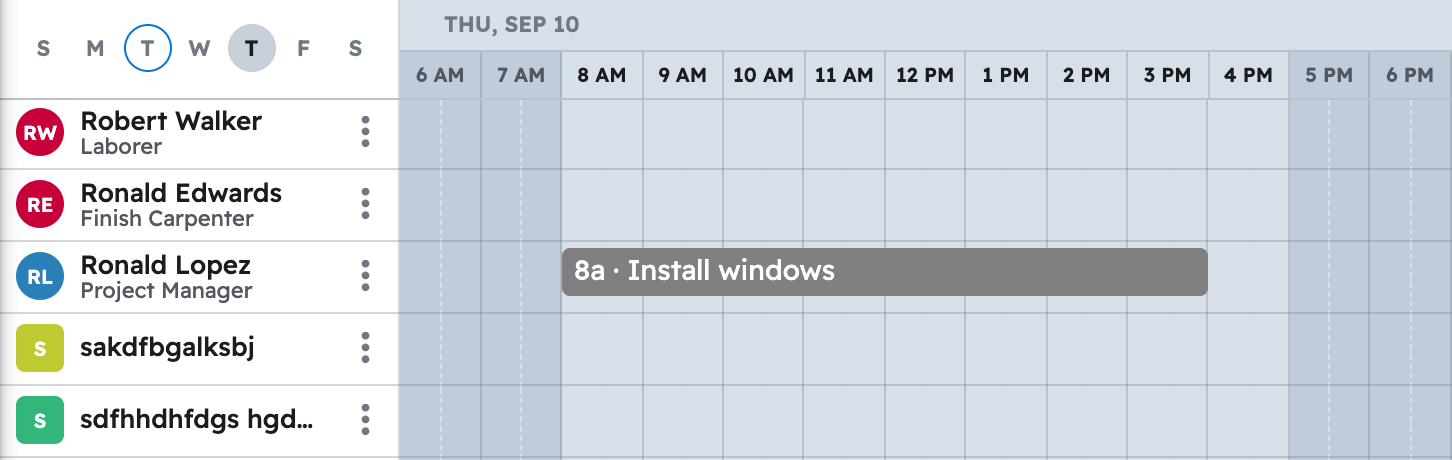
Your AI creates each task, placing multi-day installs as one task with a different crew per day. See the week in Projul under "Schedule," with each task on the row of the person assigned.
Note: Crew hours, time logs, and purchase orders are not available to your AI, so a scheduled task is a reminder, not a timesheet or order.
For the prompts in one place, see copy-paste prompts for window and door installers.
Questions? Let's Chat.
support@projul.com
(844) 776-5853