![Projul Logo 345PX wide.png]](https://knowledge.projul.com/hs-fs/hubfs/Projul%20Logo%20345PX%20wide.png?height=40&name=Projul%20Logo%20345PX%20wide.png)
Your API key is a password to your Projul account. Keep it only in your AI tool's settings or the Projul sign-in page, and manage it under "Settings", "Projul AI Connect".
Steps
- Never paste your key into a document, screenshot, or chat message. If it ever ends up in one, rotate it.
- Create one key per AI tool, named after the tool, so you can revoke one without touching the others.
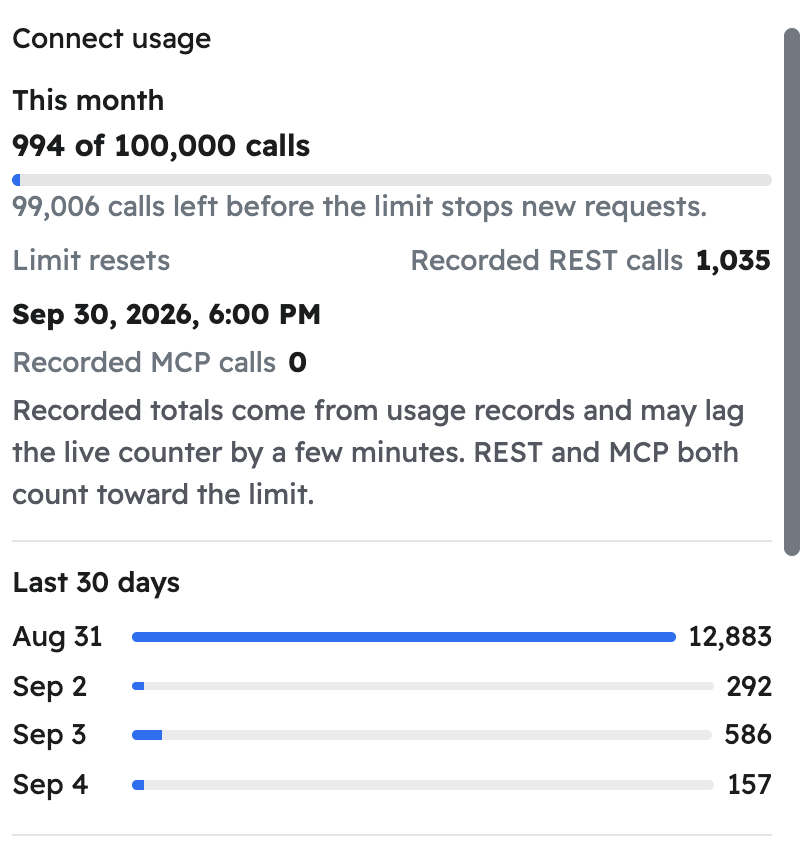
- Check "Last used" and "Connect usage" under "Settings", "Projul AI Connect".
What happens
Anything your AI writes in Projul shows the key's name followed by "(Projul AI Connect)". Click "Revoke" to turn a key off, "Rotate" to swap in a new one, or "Edit" to rename it or change its access level. See How do I get my Projul AI Connect API key?
Note: After you rotate or revoke a key, update or remove it in every tool that used it, including one an employee set up on their own device before leaving.
Questions? Let's Chat.
support@projul.com
(844) 776-5853