![Projul Logo 345PX wide.png]](https://knowledge.projul.com/hs-fs/hubfs/Projul%20Logo%20345PX%20wide.png?height=40&name=Projul%20Logo%20345PX%20wide.png)
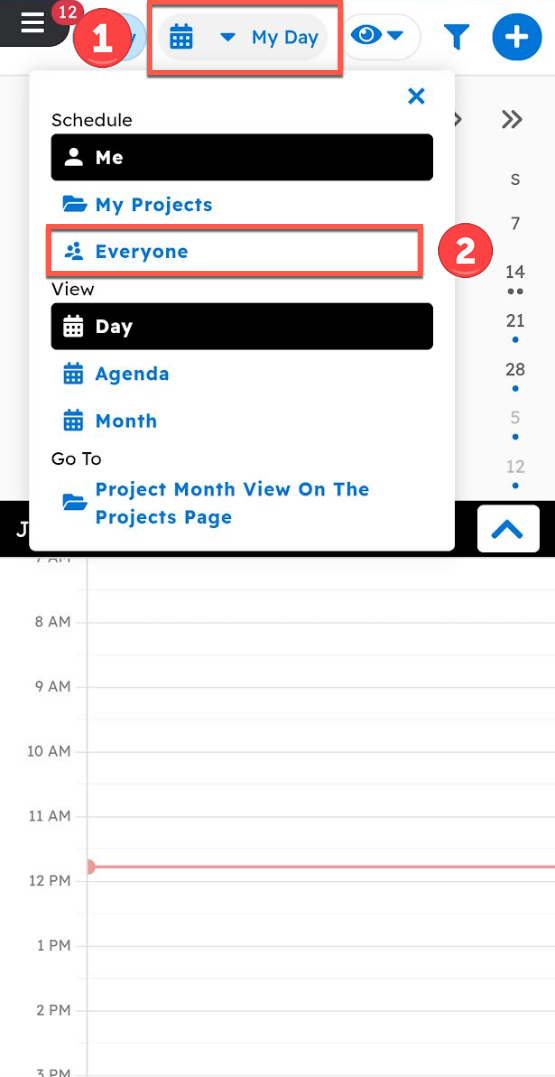
In the Schedule page on mobile, select "Everyone" from the top drop-down menu to view all tasks; select "Me" to view personal tasks.
Navigate to the Schedule page and change the view by opening the view selector at the top. Select "Everyone."
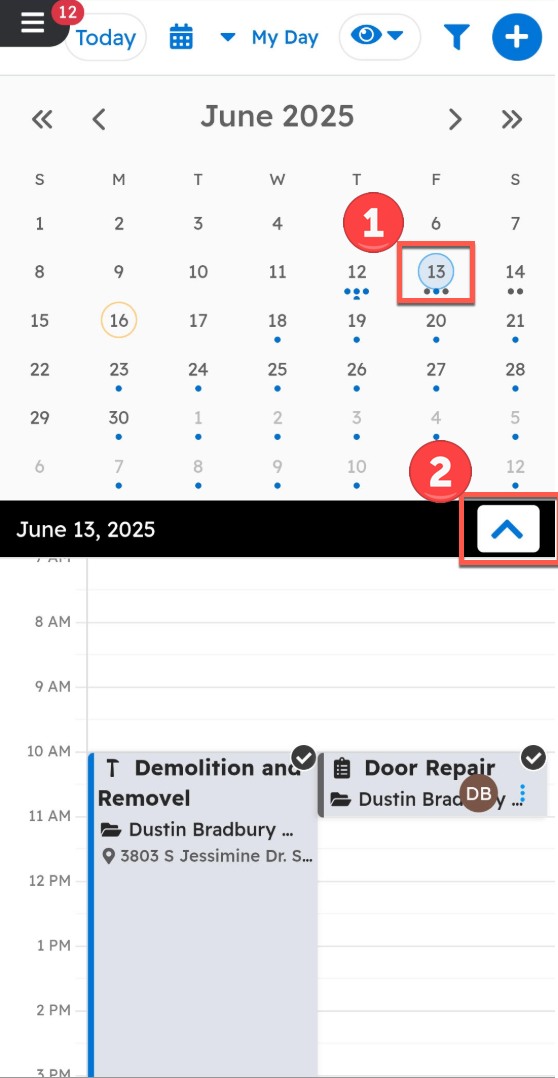
To view specific tasks:
1. Select the desired day
2. Open the caret to view tasks in an expanded view
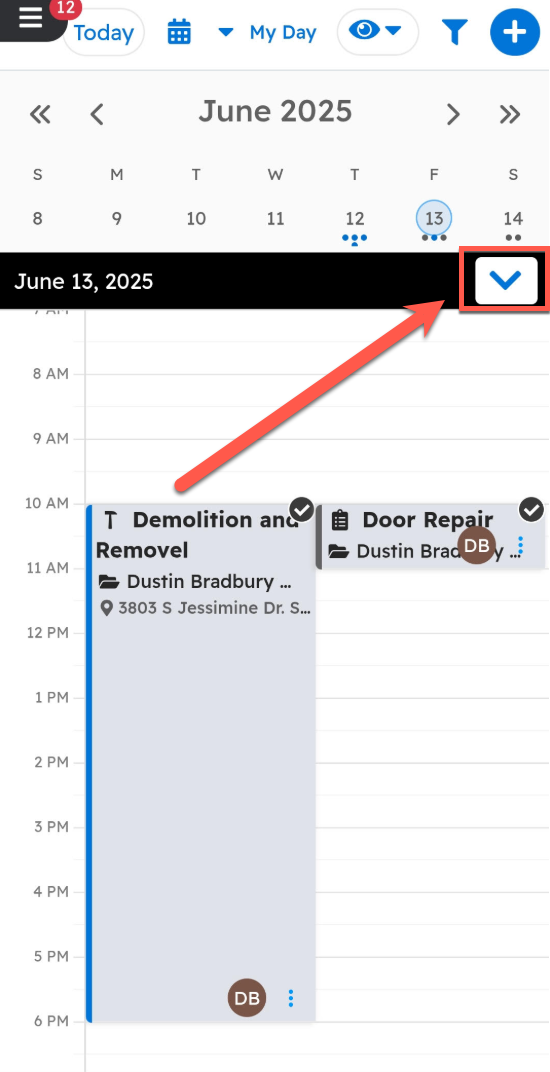
Clicking on the caret will expand the task menu, as shown below.
Questions? Let's Chat.
support@projul.com
(844) 776-5853