![Projul Logo 345PX wide.png]](https://knowledge.projul.com/hs-fs/hubfs/Projul%20Logo%20345PX%20wide.png?height=40&name=Projul%20Logo%20345PX%20wide.png)
Your billing information, including past invoices/receipts, can be viewed from the Account page and selecting "Manage Billing."
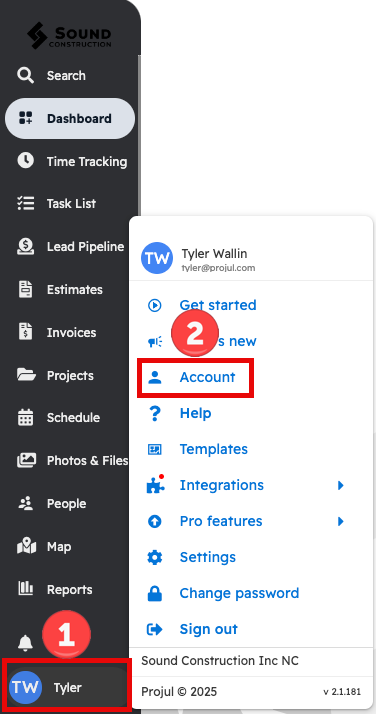
Start by pressing your initials in the lower left and selecting "Account."
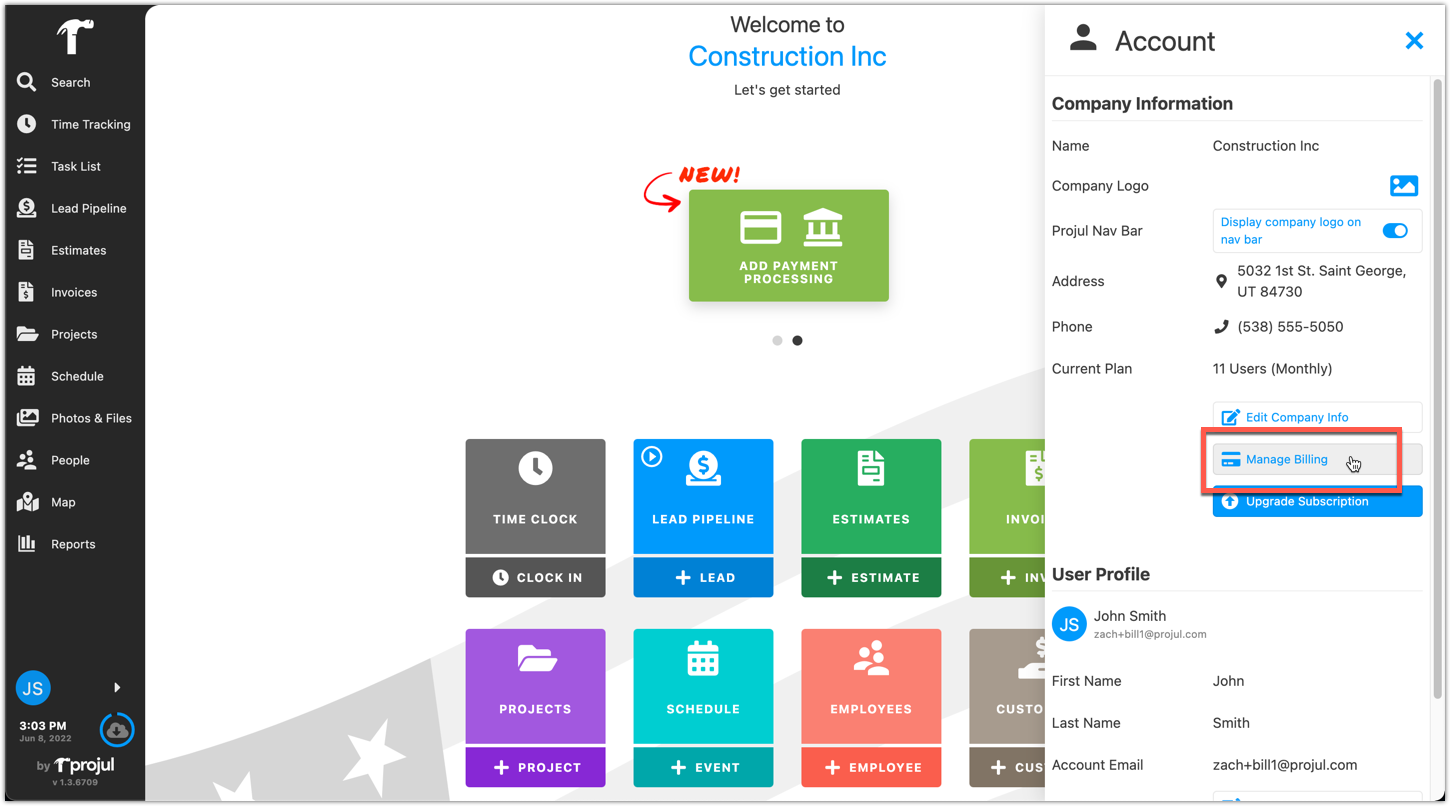
Next, from the Account page, select "Manage Billing."
From the Manage Billing page, you can view your billing information. Your invoices will display at the bottom. Press on the date of one of them to open it up.
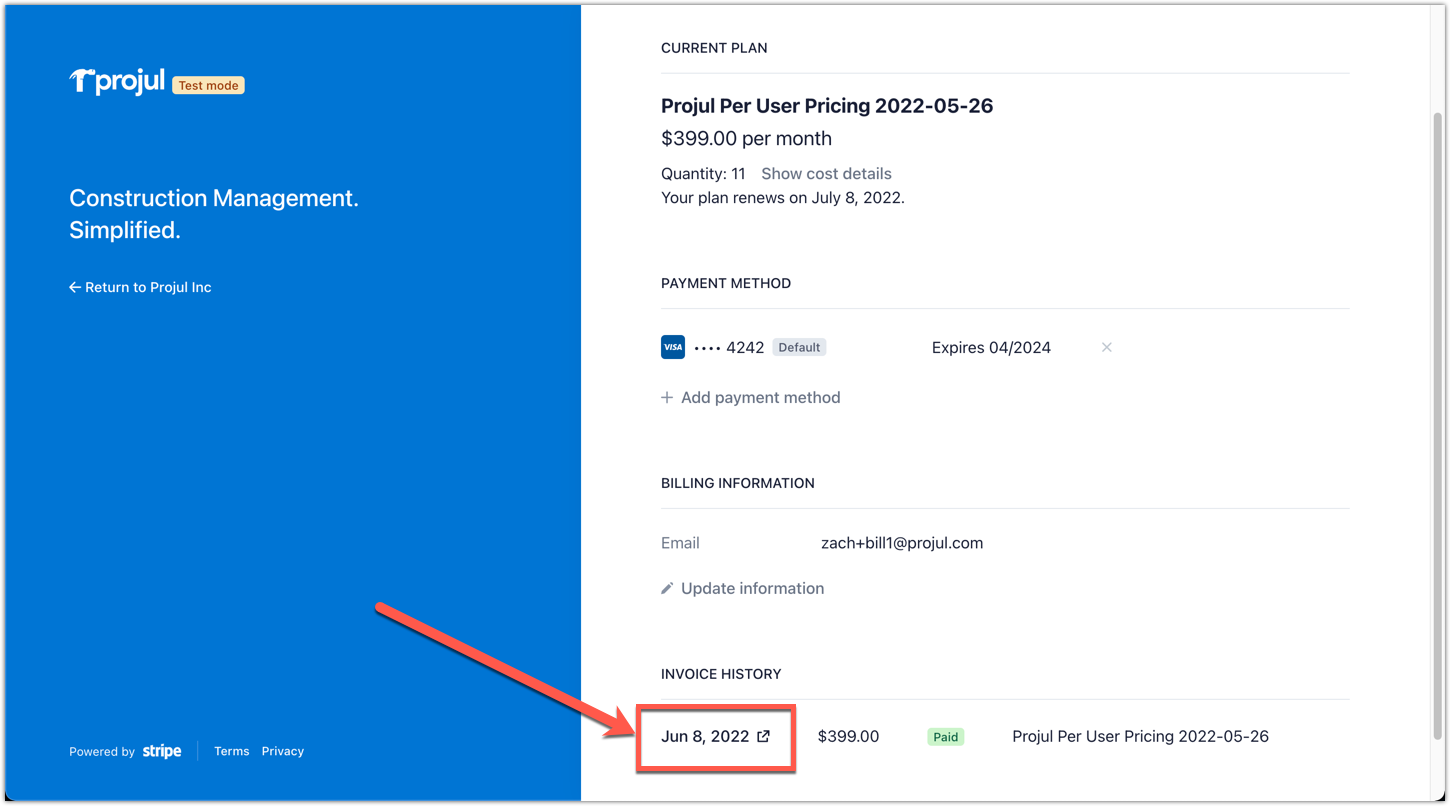
From here, you are able to download and view both the invoice and the receipt for the payment you have made.
Questions? Let's Chat.
support@projul.com
(844) 776-5853