![Projul Logo 345PX wide.png]](https://knowledge.projul.com/hs-fs/hubfs/Projul%20Logo%20345PX%20wide.png?height=40&name=Projul%20Logo%20345PX%20wide.png)
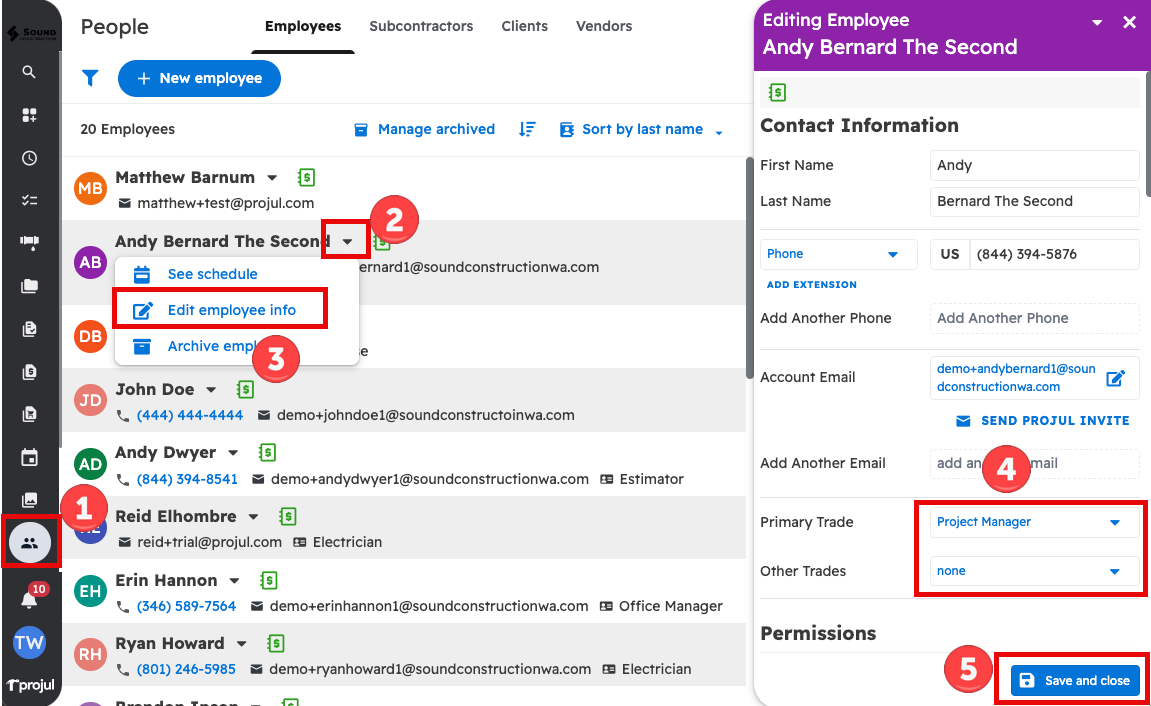
Select a trade in the "Edit employee" or "Edit subcontractor" menu.
To navigate to the employee or contractor editor:
- Go to the People page
- Open the dropdown menu next to the employee/subcontractor's name
- Select "Edit employee info" or "Edit subcontractor info"
- In the editor window, select a Primary and/or Other Trade from the dropdown menus
- Save and close the window