![Projul Logo 345PX wide.png]](https://knowledge.projul.com/hs-fs/hubfs/Projul%20Logo%20345PX%20wide.png?height=40&name=Projul%20Logo%20345PX%20wide.png)
Click your initials in the bottom left corner, select "Settings", then choose "Branding" from the settings dropdown. There you can choose whether to show the company name on the home page and the company logo on the nav bar.
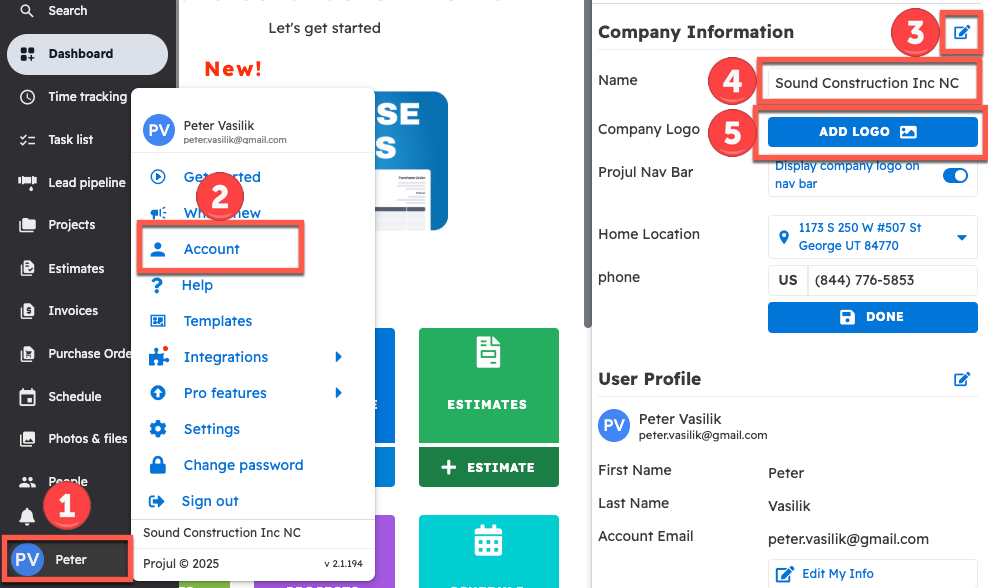
To customize the account name and logo:
- Click on profile initials
- Click on the "Account" button
- Click on the edit icon at the top right of the account menu
- Edit the company name from there
- Click on "Add Logo" to add a company logo
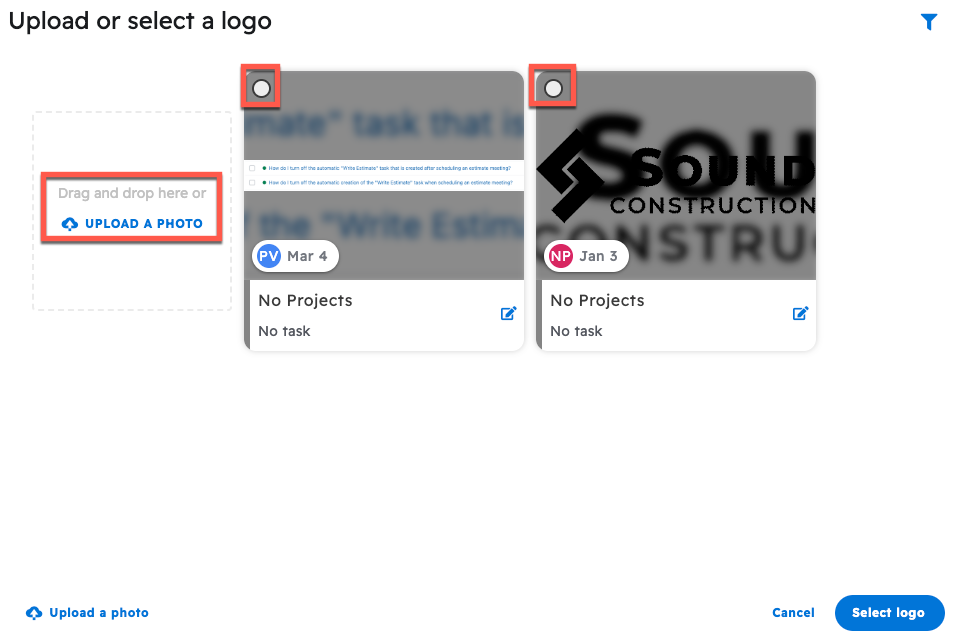
After clicking on "Add Logo," a pop-up will appear with the option to either upload a photo or choose a photo that is already in Projul.
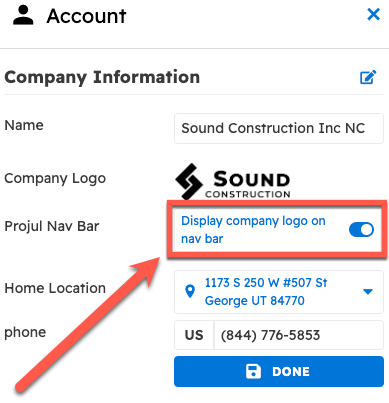
Once a logo is chosen, use the "Display company logo on nav bar" toggle under Company Logo to show or hide it on the nav bar.
Questions? Let's Chat.
support@projul.com
(844) 776-5853