![Projul Logo 345PX wide.png]](https://knowledge.projul.com/hs-fs/hubfs/Projul%20Logo%20345PX%20wide.png?height=40&name=Projul%20Logo%20345PX%20wide.png)
To filter tasks in the task list page, use the buttons at the top to choose what type of tasks to see.
To get to the task list page, use the left side bar and click on the button labeled, "Task List."
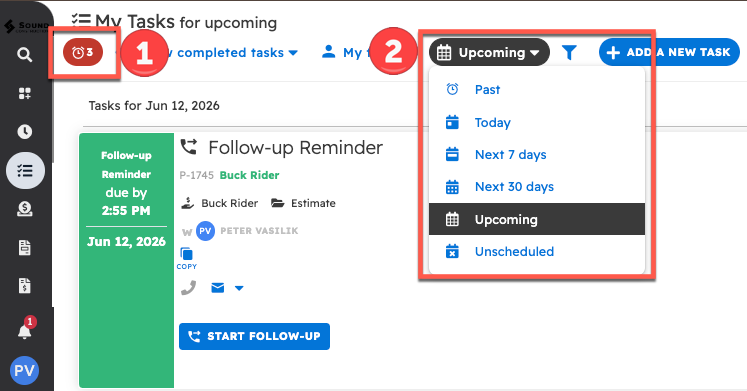
From there, a row of buttons appears at the top.
- Clicking this filters tasks to show only those that are overdue.
- Clicking the date dropdown lets you pick "Past", "Today", "Next 7 days", "Next 30 days", "Upcoming", or "Unscheduled". Clicking the funnel icon next to it opens a pop-up with additional filter options.