![Projul Logo 345PX wide.png]](https://knowledge.projul.com/hs-fs/hubfs/Projul%20Logo%20345PX%20wide.png?height=40&name=Projul%20Logo%20345PX%20wide.png)
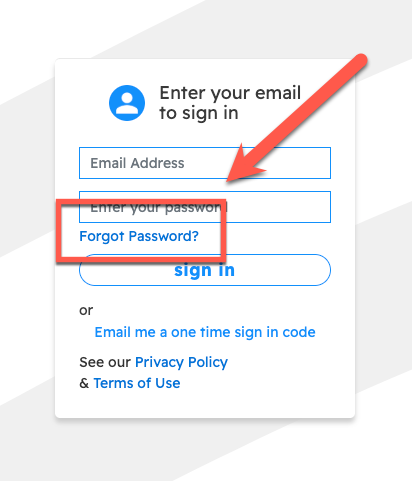
Go to appv2.projul.com or open the Projul app on mobile. Enter your email and click "Forgot Password?" below the password field.
After clicking the "Forgot Password?" button, Projul will send a password reset email.
Alternatively, click "Email me a one time sign in code." Projul sends a code that signs you in once and does not change your password.
A password can also be changed from the user menu. To do so:
- Click on initials
- Click "Change password"
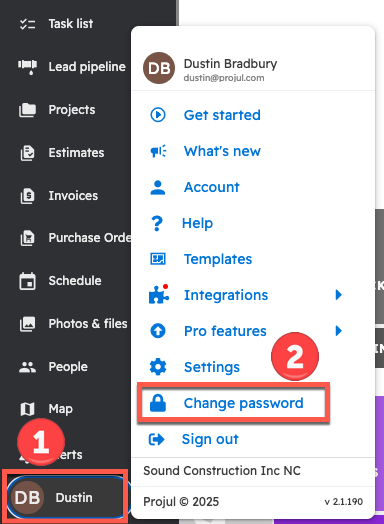
This will send an email to the address associated with that account giving instructions on how to change the password.
Questions? Let's Chat.
support@projul.com
(844) 776-5853