![Projul Logo 345PX wide.png]](https://knowledge.projul.com/hs-fs/hubfs/Projul%20Logo%20345PX%20wide.png?height=40&name=Projul%20Logo%20345PX%20wide.png)
Each estimate and invoice shows "Last viewed: [date]" once your customer has opened it in the client portal. Click it to see every time it was viewed.
In this Article
Customer views of an Estimate document in Projul
Open the estimate that was sent to the customer.
At the top of the estimate, next to the estimate number, one of two messages will be displayed. One of these is "Client view has not been opened."
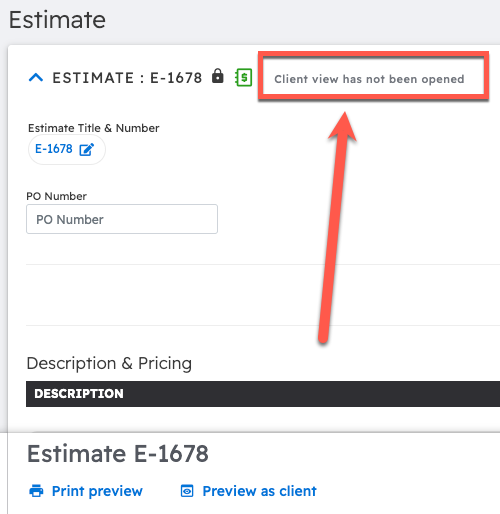
The other message is a drop-down menu that says "Last viewed: [date]."
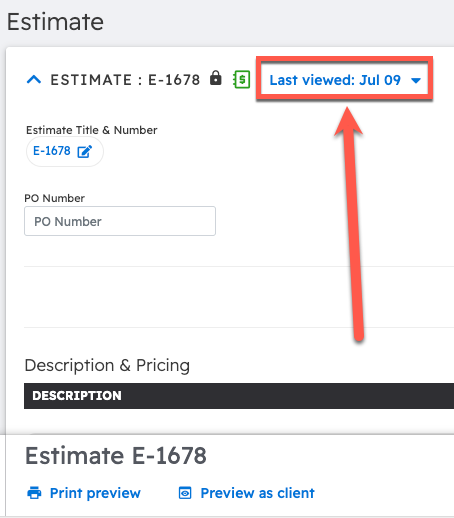
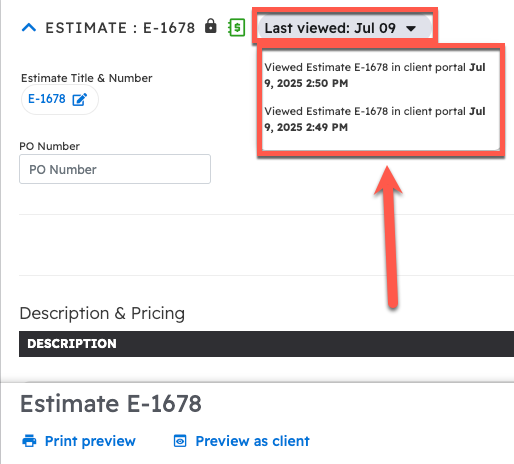
Clicking on this drop-down menu shows all of the times that the Estimate document has been viewed in the customer portal.
On a phone, collapse the estimate to see this message.
Customer views of an Invoice document in Projul
Open the invoice that was sent to the customer.
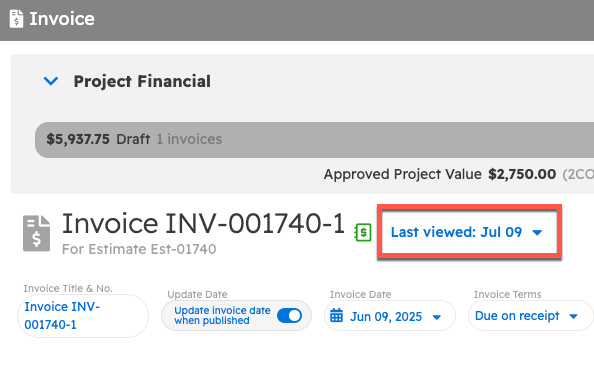
At the top of the invoice, next to the invoice number, one of two messages will be displayed. One of these is "Client view has not been opened," meaning the customer has not viewed the invoice yet.
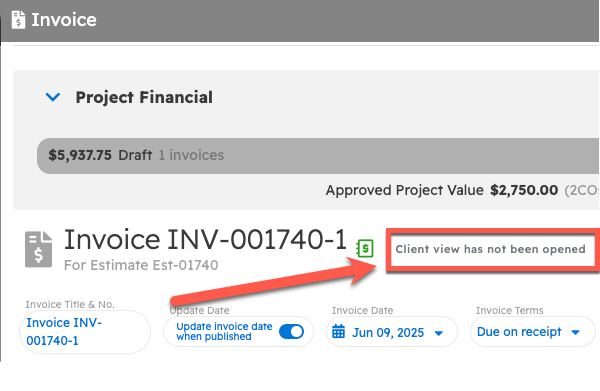
The other message is a drop-down menu that says "Last viewed: [date]." Click it to see every time the invoice was viewed in the client portal.
Questions? Let's Chat.
support@projul.com
(844) 776-5853