![Projul Logo 345PX wide.png]](https://knowledge.projul.com/hs-fs/hubfs/Projul%20Logo%20345PX%20wide.png?height=40&name=Projul%20Logo%20345PX%20wide.png)
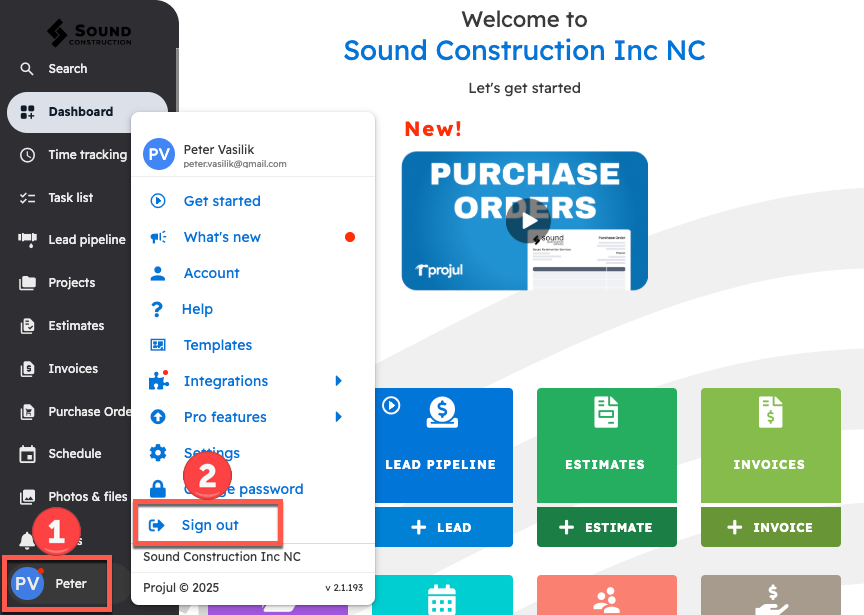
To sign out of Projul, click your initials in the bottom left corner and select "Sign out."
On Desktop
In order to sign out:
1. Click on initials in the bottom left corner
2. Select "Sign out"
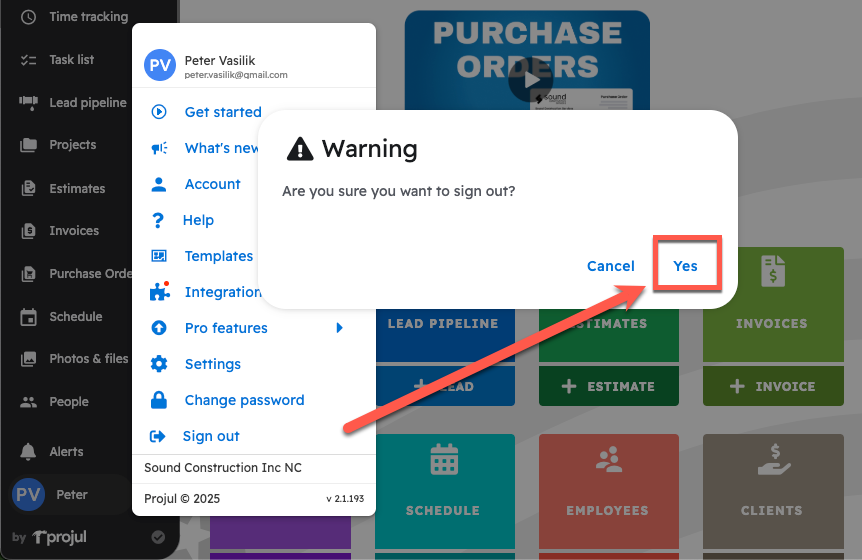
A pop-up will appear to confirm the sign out.
On Mobile
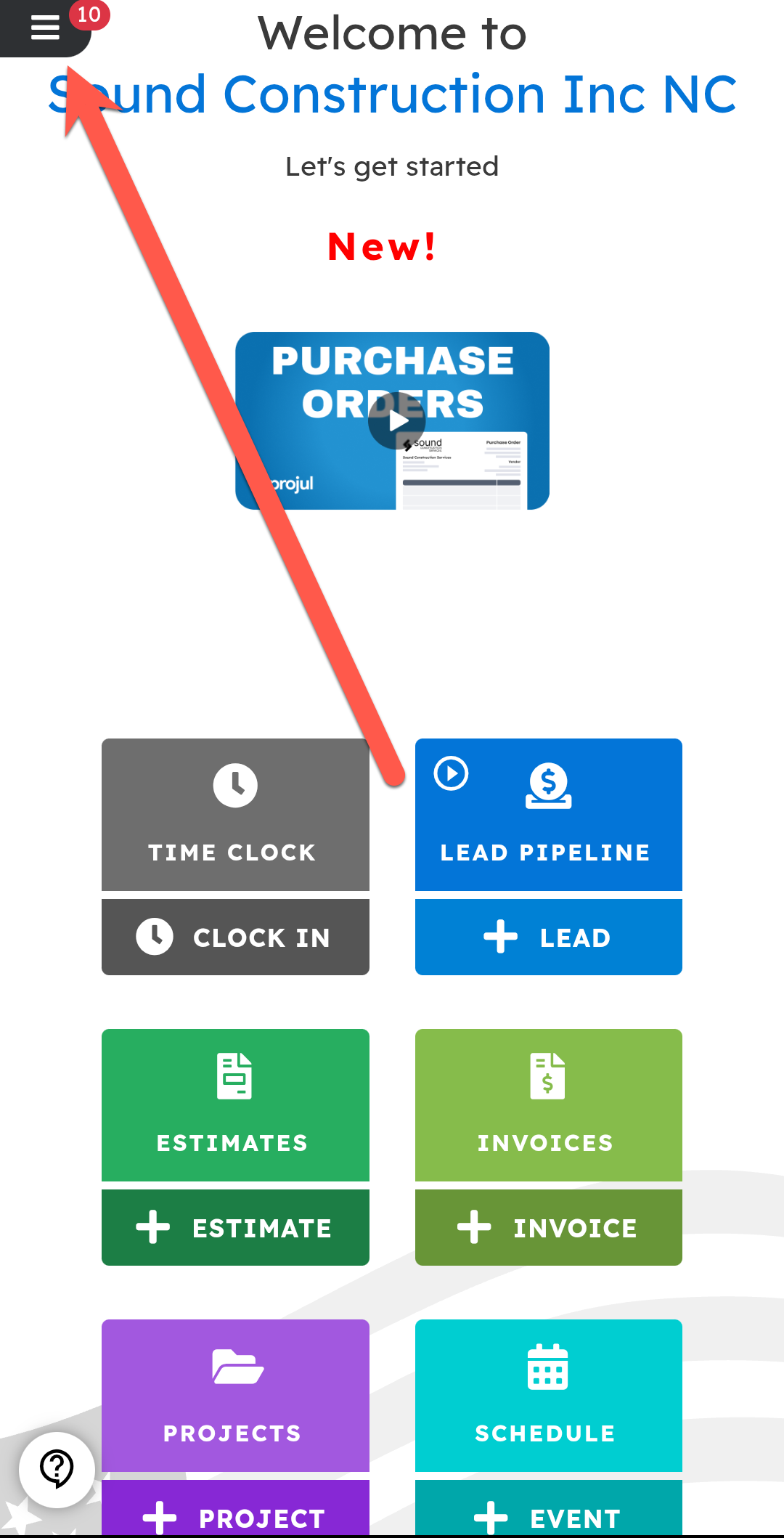
Press the grid button in the top left corner to bring up the navigation menu.
From the navigation menu:
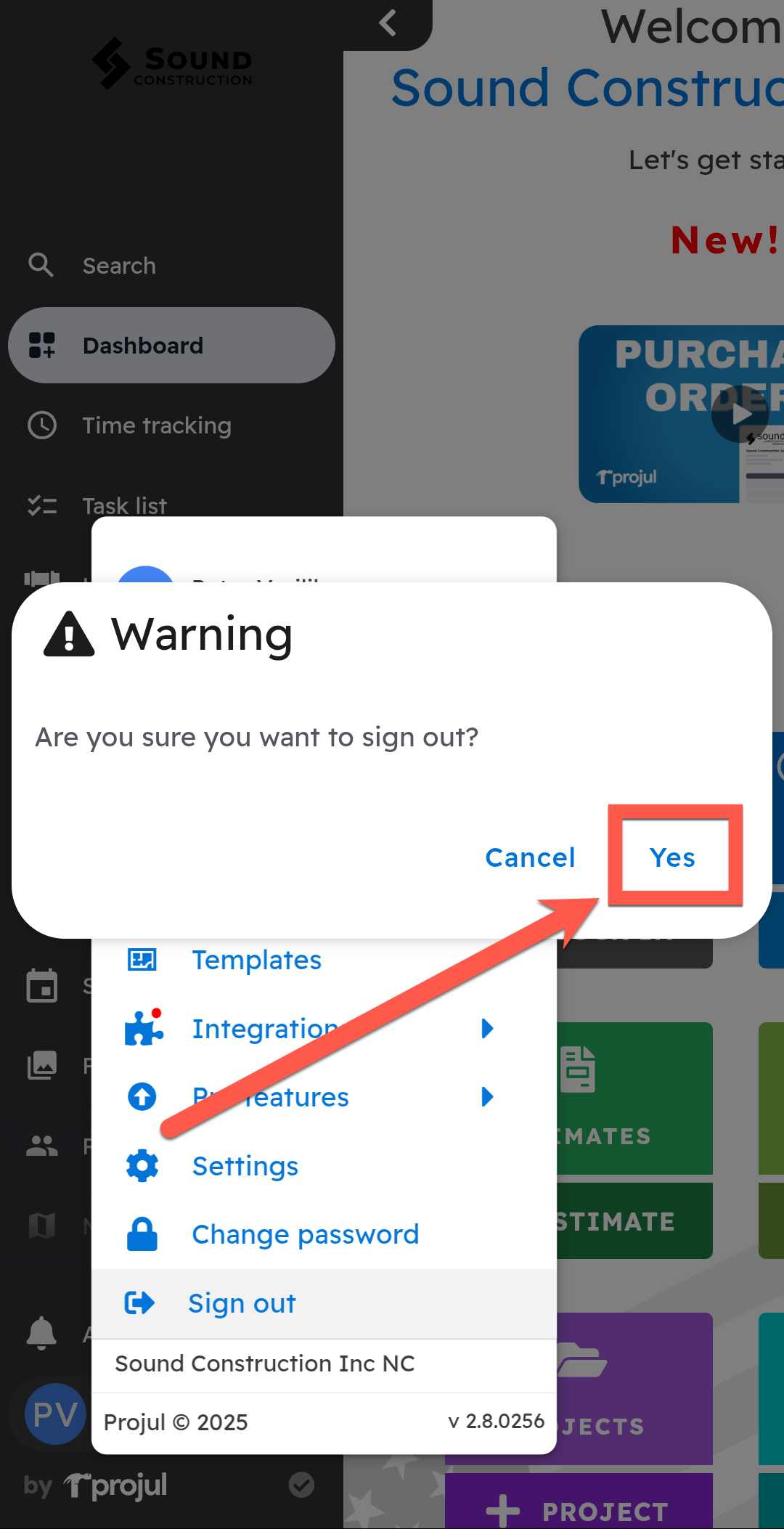
1. Open the user menu by clicking on initials in the bottom left corner
2. Select "Sign out" from the list
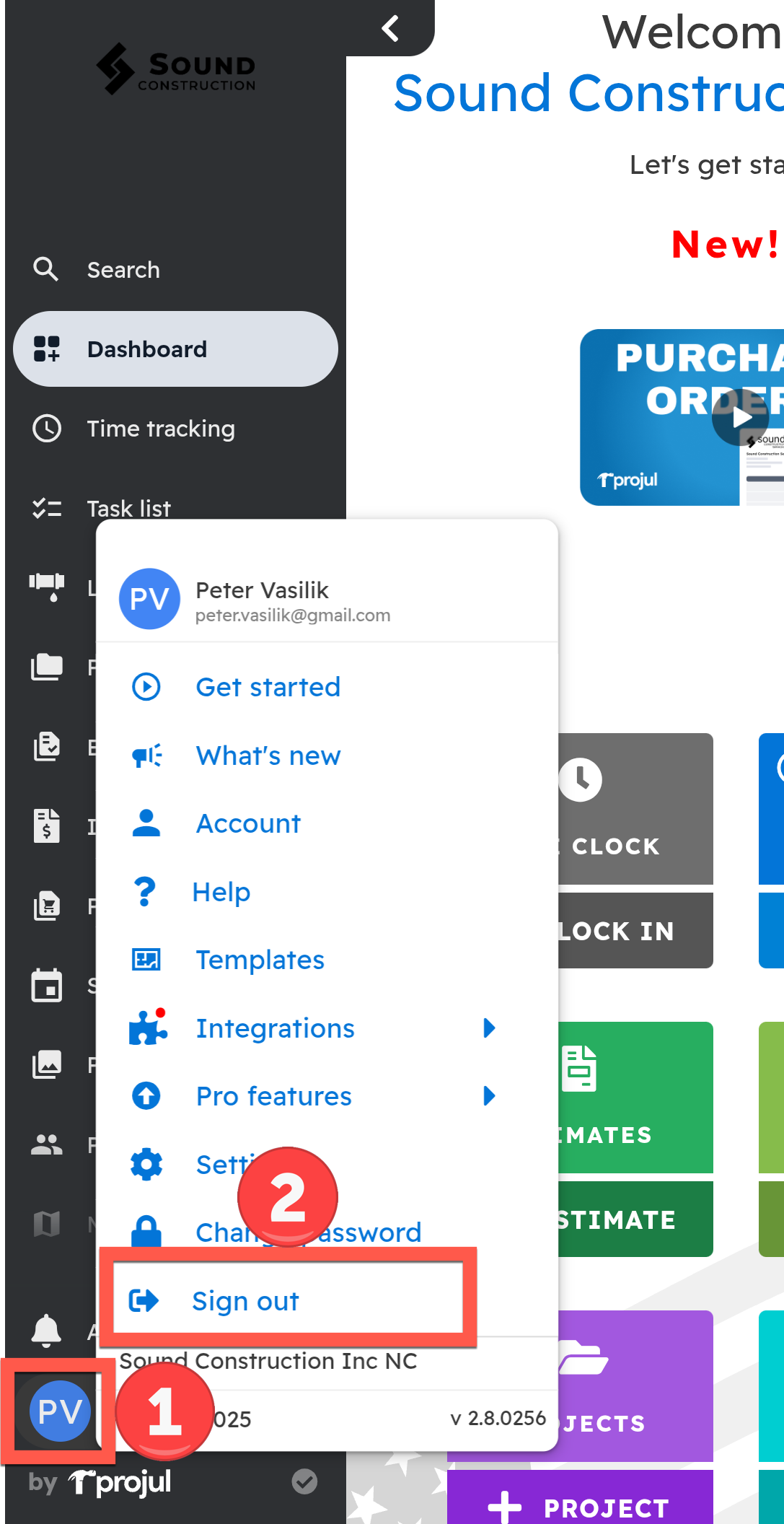
A pop-up will appear to confirm the sign out.
Questions? Let's Chat.
support@projul.com
(844) 776-5853