![Projul Logo 345PX wide.png]](https://knowledge.projul.com/hs-fs/hubfs/Projul%20Logo%20345PX%20wide.png?height=40&name=Projul%20Logo%20345PX%20wide.png)
The current version or "build" of Projul in use is indicated in the user menu.
To find the current version or "build" of Projul is in use:
1. Click on initials in the bottom left corner
2. This will open a pop-up menu that shows the build number of Projul in the bottom right corner
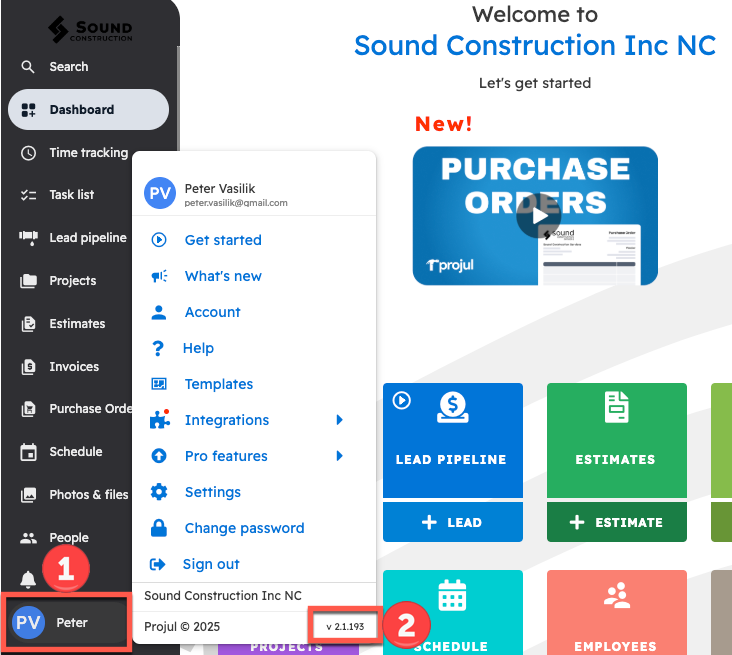
The version is the small text after a lowercase "v", for example "v2.10.0015". Give this number to support when you report a problem. If you see "Shell" and "bundle" numbers instead, give both.
Questions? Let's Chat.
support@projul.com
(844) 776-5853