![Projul Logo 345PX wide.png]](https://knowledge.projul.com/hs-fs/hubfs/Projul%20Logo%20345PX%20wide.png?height=40&name=Projul%20Logo%20345PX%20wide.png)
The publishing process allows users to finalize and share approved documents, making them visible to stakeholders. The approval process requires users without approval permissions to submit estimates or invoices for review where reviewers can approve, send, or request revisions with comments.
Watch this video or read ahead for more information:

Contents:
2.0 Publishing & Client Viewing
3.0 Approval & Signature Process
Key Points:
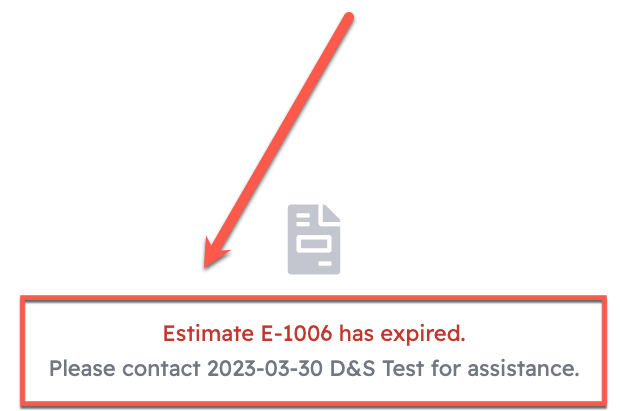
- An estimate must be published for the client to view it. If unpublished, it will show as "expired."
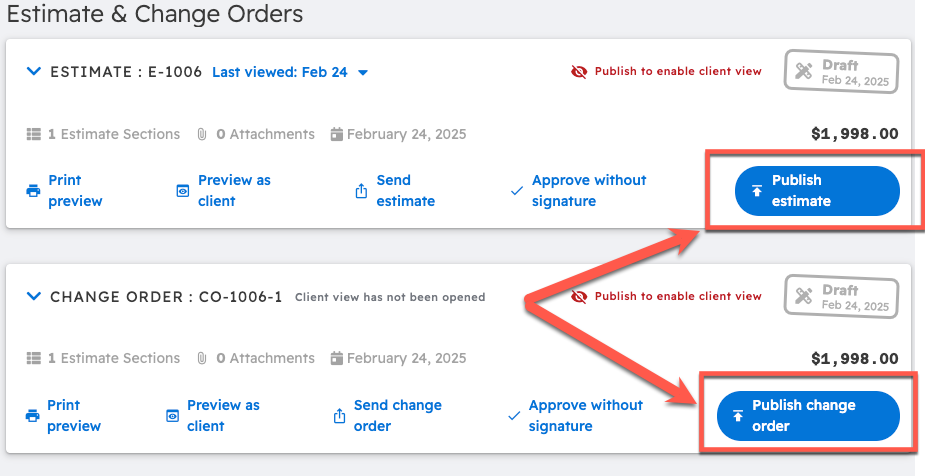
- Publishing locks the editor and enables client viewing. It can also be unpublished if needed.
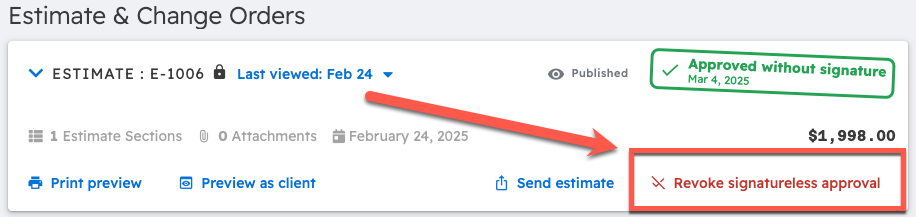
- Approval can be revoked directly from the interface.
- Change orders must be approved before they are included in totals or invoices.
- Users without approval permissions must submit estimates or invoices for review.
Publishing & Client Viewing
Until an estimate is published, clients will see an "expired" notice when they try to view the estimate link.
Publishing the estimate locks editing and allows clients to access the document. Change orders must also be approved before appearing on invoices.
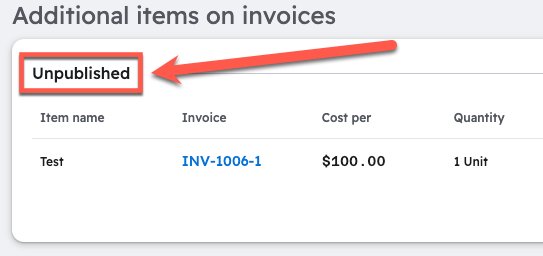
Additional line items added to invoices are clearly separated as unpublished, published, or approved in the estimate editor.
Approval & Signature Process
Estimates can now be approved with or without a signature.
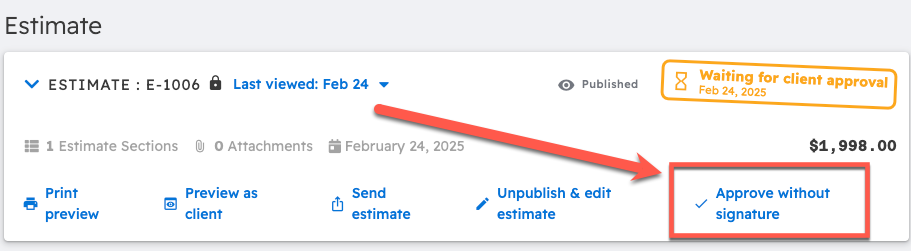
The approval status updates automatically, and you can revoke approval if changes are needed.
Change orders are the same, as they must be approved before adding them to any document. Both Estimates and Change Orders can be approved without a signature and have their approval revoked.
Approval Request System:
Users without approval permissions must submit estimates or invoices for review.
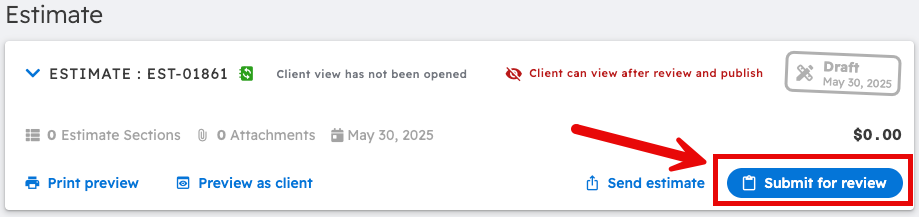
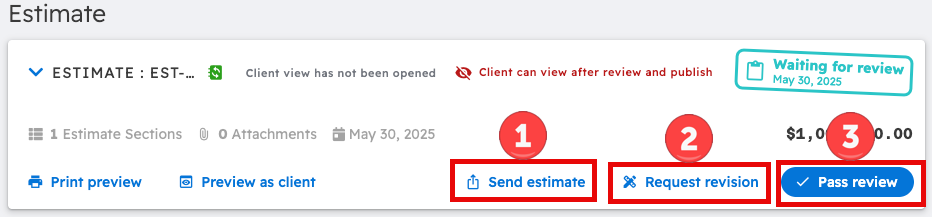
Reviewers can then take one of three actions regarding the review:
1. Send estimate - Once the estimate is revised and ready to go, you can send it to your client.
2. Request revision - If some of the information isn't quite right, add notes and send it back to the person who submitted it. They can then edit it and resubmit it for approval.
3. Pass review - If everything looks right, you can approve the review before sending the estimate to your client.