![Projul Logo 345PX wide.png]](https://knowledge.projul.com/hs-fs/hubfs/Projul%20Logo%20345PX%20wide.png?height=40&name=Projul%20Logo%20345PX%20wide.png)
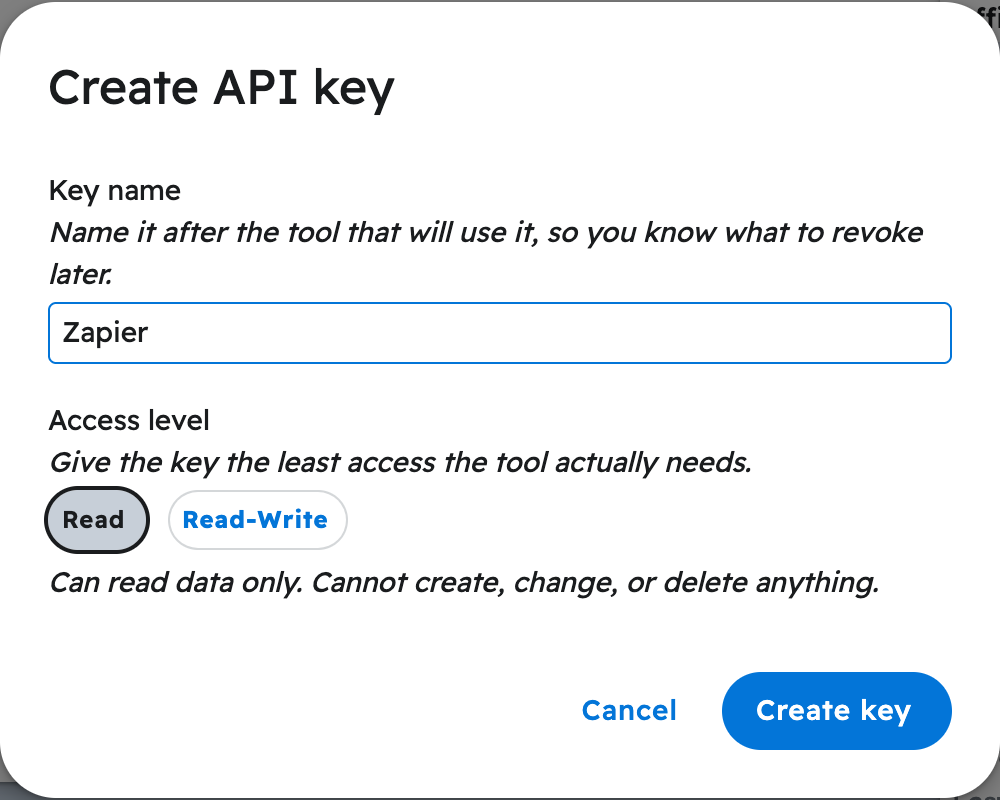
Pick "Read" if your AI should only answer questions about your Projul data. Pick "Read-Write" if it should also add and change things.
What each one allows
- Read: your AI can look up and summarize clients, leads, projects, estimates, tasks, messages and files.
- Read-Write: it can also add and change clients, leads, estimates, tasks and messages, and delete them if you ask.
What is on the schedule this week?
What is the total on the [Thompson] estimate?
What happens
You choose the "Access level" when you create the key. With a Read key, your AI says it cannot make a change and Projul refuses it. To change a key's level later, go to "Settings", "Projul AI Connect", click "Edit" next to the key, and save; the tool already set up keeps working.
Note: Your AI asks you to approve each action before it writes anything, even with a Read-Write key. To create a key, see How do I get my Projul AI Connect API key?
Questions? Let's Chat.
support@projul.com
(844) 776-5853