![Projul Logo 345PX wide.png]](https://knowledge.projul.com/hs-fs/hubfs/Projul%20Logo%20345PX%20wide.png?height=40&name=Projul%20Logo%20345PX%20wide.png)
Projul has various sales and financial reports that provide insights into your business to help you make informed decisions.
The reports in Projul make it easy to see project financial and sales information without having to individually look at contracts or projects.
Projul reports can:
- Easily determine who has been invoiced and who has an outstanding balance
- Summarize estimates sent and approved
- Review time logs for your crew
- Identify revenue by project type to see what is driving your business
- And more!
With the “Download CSV” function you can easily export these reports to Excel or a Google Sheet to share, re-organize, and manipulate the data.
Table of contents:
Estimator Estimated Revenue Report
Project Type Estimated Revenue Report
Reports
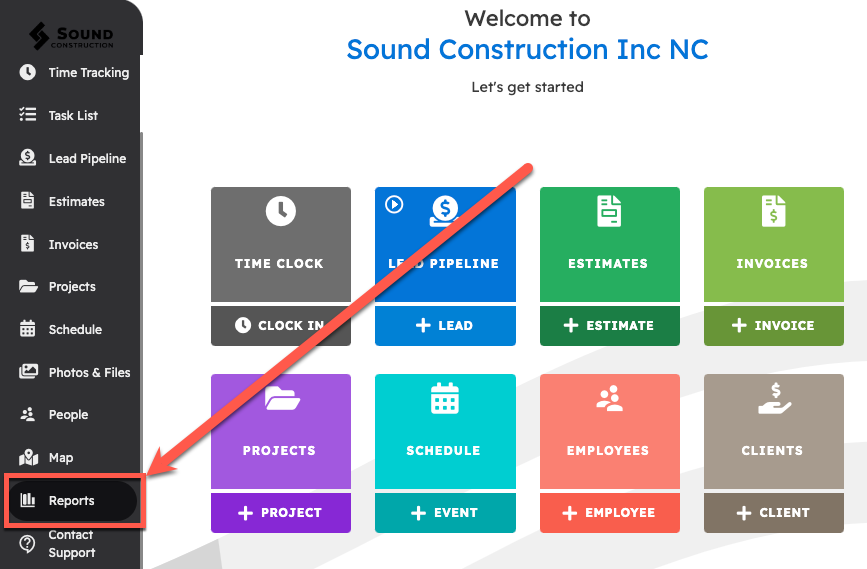
To get to the Reports page, go to the left navigation menu and click on “Reports”. From this page you can see all the reports within Projul. Reports are divided into two categories: "Financial Reports" and "Sales Reports."
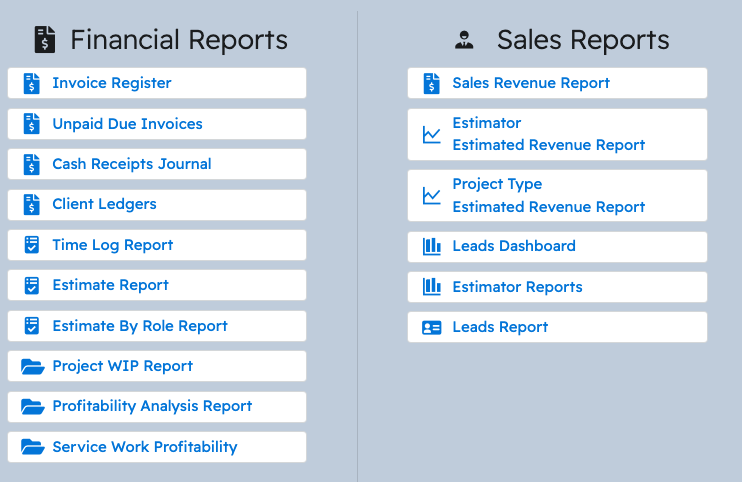
Financial Reports
-
Invoice Register Report
Lists each invoice number along with the date, estimate number, client name, and invoice amount. -
Unpaid Due Invoices (Aged Receivables) Report
Shows the status of aged receivables for one client or a range of clients. Displays only sent invoices. -
Cash Receipts Journal
Lists client receipts in journal format, displayed by invoice date. -
Client Ledger
Provides detailed transaction information per client, including outstanding balances, debit, credit, and balance totals. -
Time Log Report
Details all time logged within a specified date range. Includes total time per person, time rate(s), and wage(s). Can be filtered by project, employee, and task type. -
Estimate Report
Displays all estimates sent and approved within a selected timeframe. -
Estimates By Role Report
Organizes estimates by assigned estimators, sales reps, and project managers. Estimates assigned to multiple people appear multiple times but are counted once at the company level. -
Project WIP (Work in Progress) Report / Accrued Income Report
Lists financial information for all active projects, including estimated vs. actual costs, percent complete, and estimated, earned, and actual revenue. -
Profitability Analysis Report
Shows financial information for all completed projects within a given date range, including estimated and actual costs, percent complete, and estimated, earned, and actual revenue. -
Service Work Profitability
Shows profitability for service work and time and materials projects that do not have an estimate. Compares recorded actuals against invoiced and paid amounts.
Sales Reports
-
Sales Revenue Report
Shows all estimates and change orders organized by project, with several totals for each and the relevant project details. -
Estimator Estimated Revenue Report
Displays estimated revenue by estimator for approved estimates over the past 12 months. -
Project Type Estimated Revenue Report
Displays estimated revenue by project type for approved estimates over the past 12 months. -
Leads Dashboard
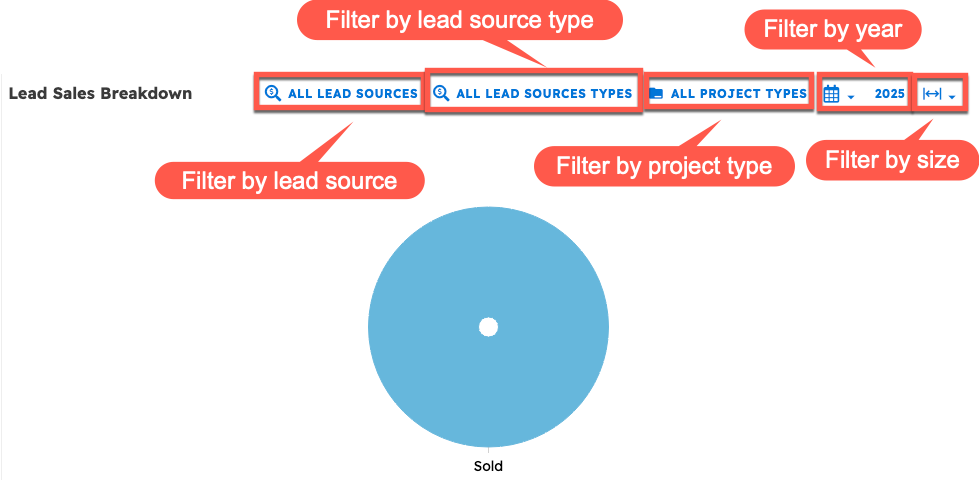
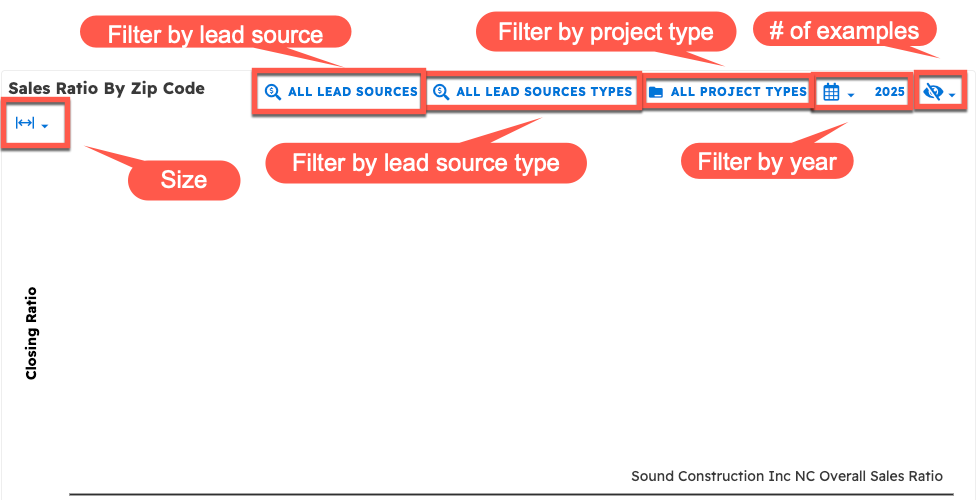
Includes data on lead source conversion, lead sales by type, sales by zip code, and conversions from lead source type to project type. -
Estimator Reports
Shows monthly sales per estimator, sales ratio by project type (per estimator), and overall estimator performance. -
Leads Report
Lists all leads collected within the selected timeframe.
Financial Reports
Invoice Register
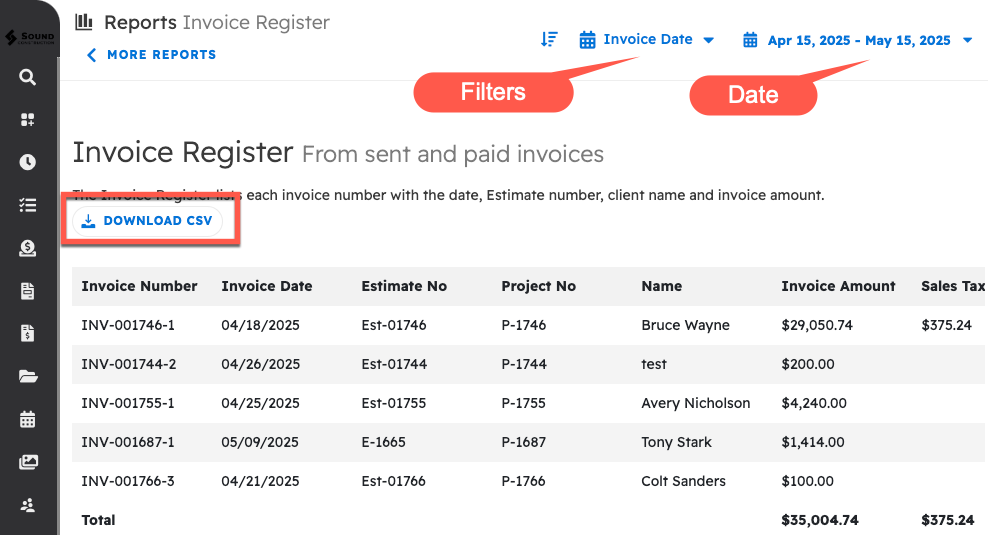
The Invoice Register Report lists each invoice number with the date, estimate number, client name and invoice amount. This populates automatically from your sent and paid invoices. This report is great for keeping track of your invoices as they are created and paid out.
Unpaid Due Invoices
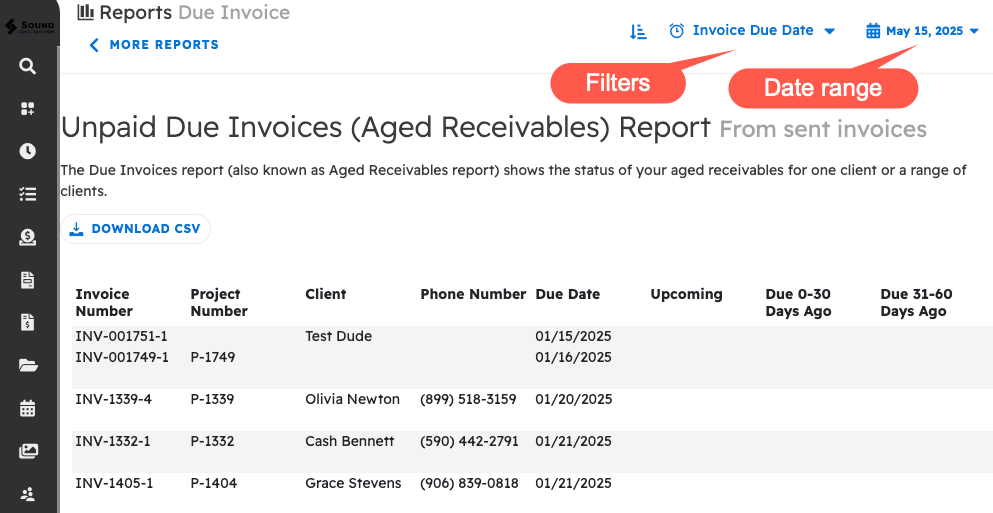
The “unpaid due invoices” (or “aged receivables”) is a spreadsheet style report which shows the status of your aged receivables for one customer or a range of customers. This populates automatically from sent invoices. This report is really helpful for keeping track of the invoices which still need to be paid, and quickly figuring out which customers you may want to follow up with.
Cash Receipts Journal
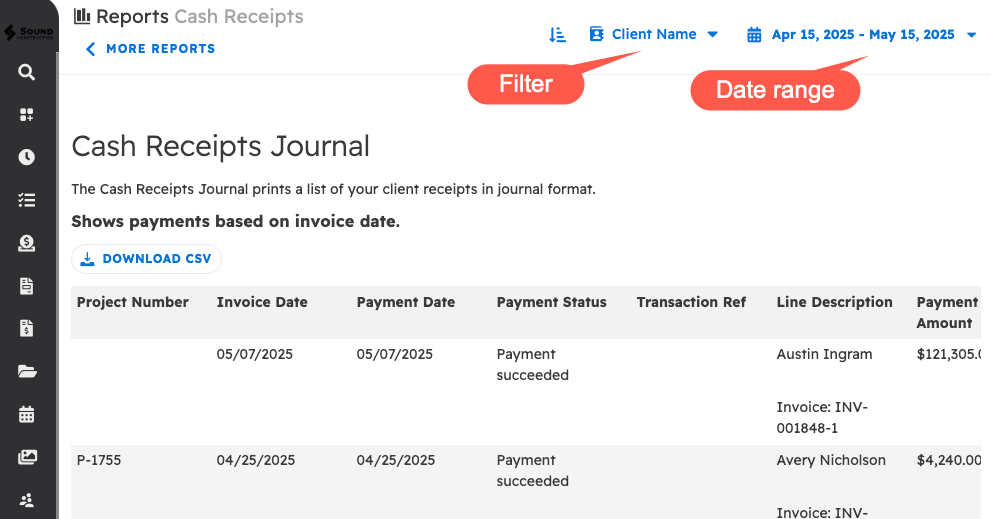
The “Cash Receipts Journal" is a spreadsheet style report which shows a list of your customer receipts. This populates automatically from recorded payments. This report is incredibly useful because it helps you keep track of payments which may otherwise slip through the cracks, such as cash payments.
Client Ledgers
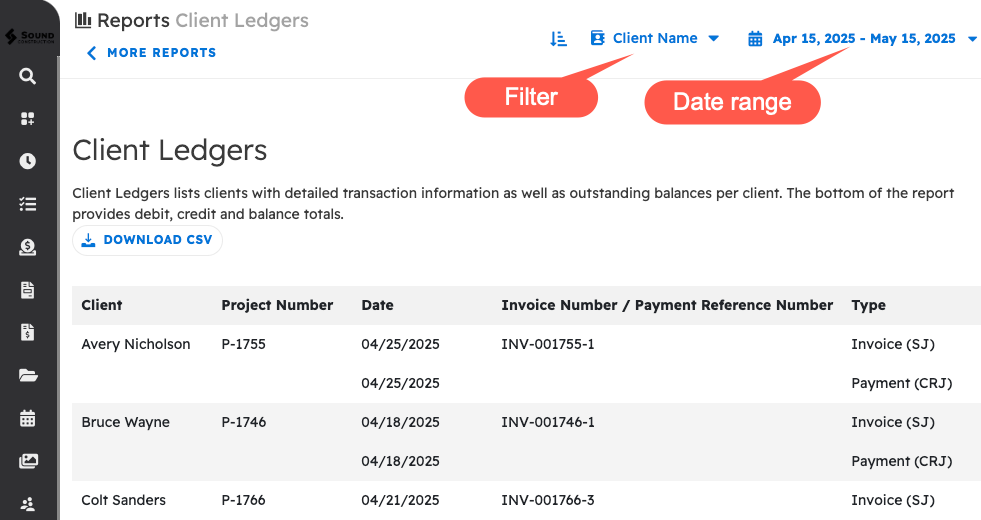
The “Client Ledgers” lists customers with detailed transaction information as well as outstanding balances per customer. The bottom of the report provides debit, credit, and balance totals. This populates automatically from all over projul. This report is really helpful for keeping track of all the info you have about your customers, as well as the contracts you have with them.
Time Log Report
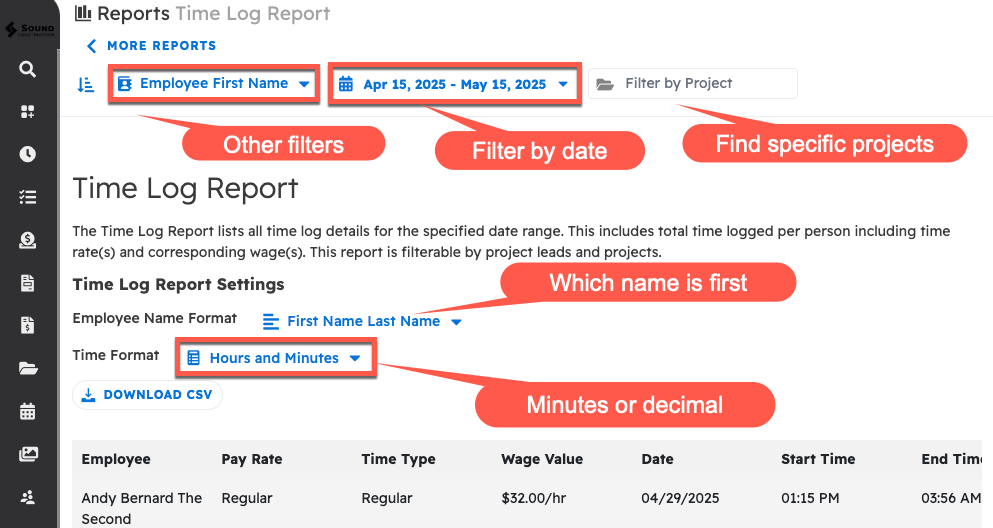
The "Time Log Report" lists all time log details for the specified date range. This includes total time logged per person with time rates and corresponding wages. This report can be filtered by project, employee, and task type. It also has a couple different formatting options for ease of reading. This pulls automatically from time tracking, people, and settings. This report is easily used to keep track of the amount of payment each employee needs for the time they’ve worked, as well as the total for all employees.
Estimate Report
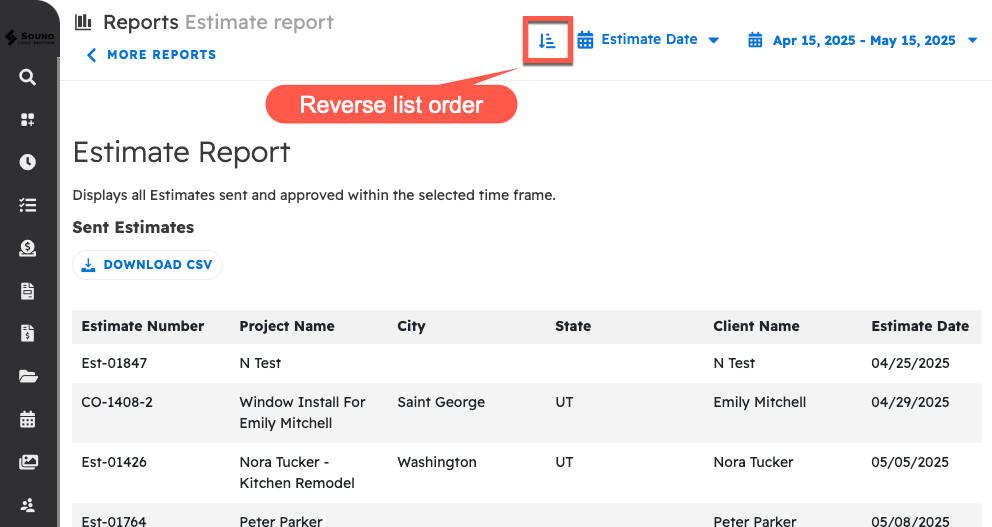
The “Estimate Report” is a spreadsheet style report which displays all estimates sent and approved within the selected time frame. This populates automatically from estimates. This report is a great help for keeping track of each estimate and its details (including location, project info, monetary value, estimator assigned, and much more!) as well as having a separate list for just the estimates which have been approved (including a separate CSV download).
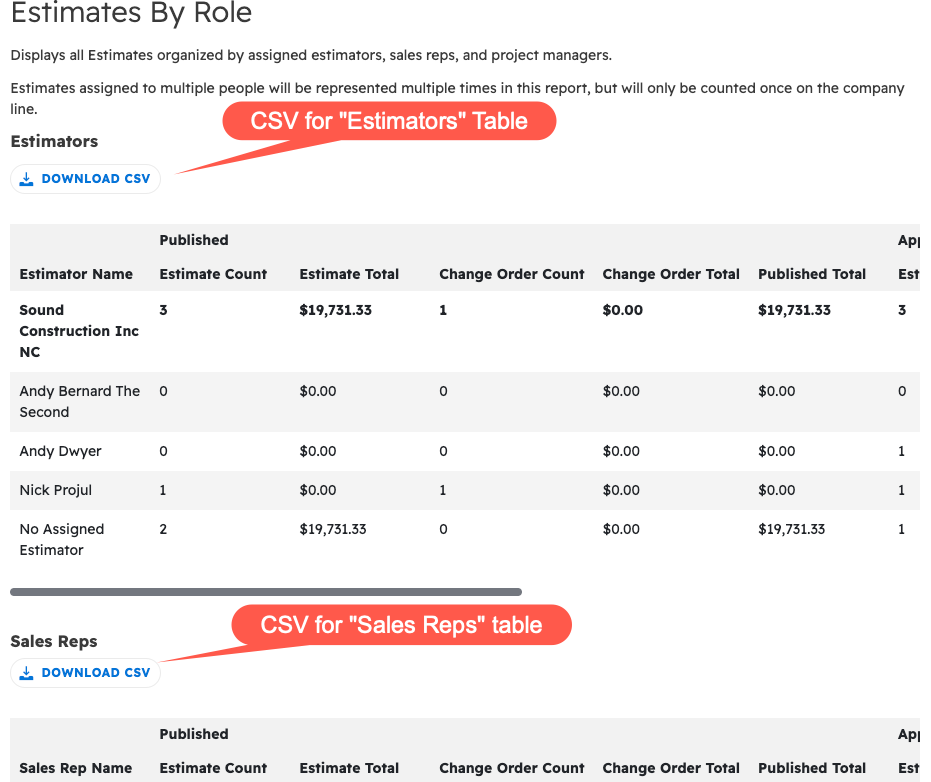
Estimates by Role Report
The “Estimates by Role Report" displays all estimates organized by assigned estimators, sales reps, and project managers. This populates from estimates and people. This report is amazing at helping you keep track of what each position in the company is doing with estimates.
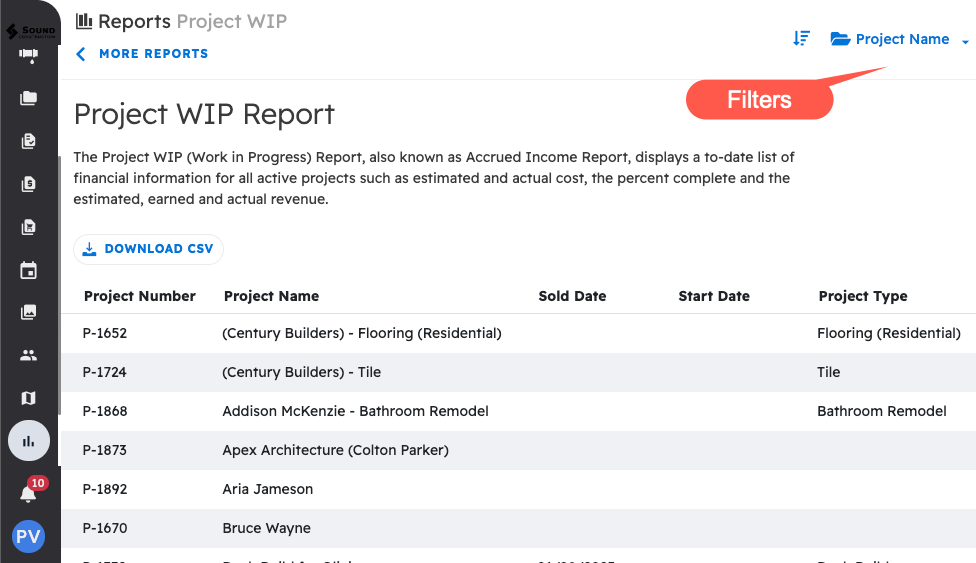
Project WIP Report
The “Project WIP [Work in Progress] Report,” also known as “Accrued Income Report,” displays a to-date list of financial information for all active projects such as estimated and actual cost, the percent complete and the estimated, earned and actual revenue. This populates automatically from all over projul. This report is great for finances and keeping track of your project information.
Profitability Analysis Report
The “Profitability Analysis Report” displays a list of financial information for all completed projects from a given date range, including estimated and actual cost, the percent complete and the estimated, earned and actual revenue. Like every other report, this is created automatically with information entered into projul. This report is great for finances and general practical information for your business.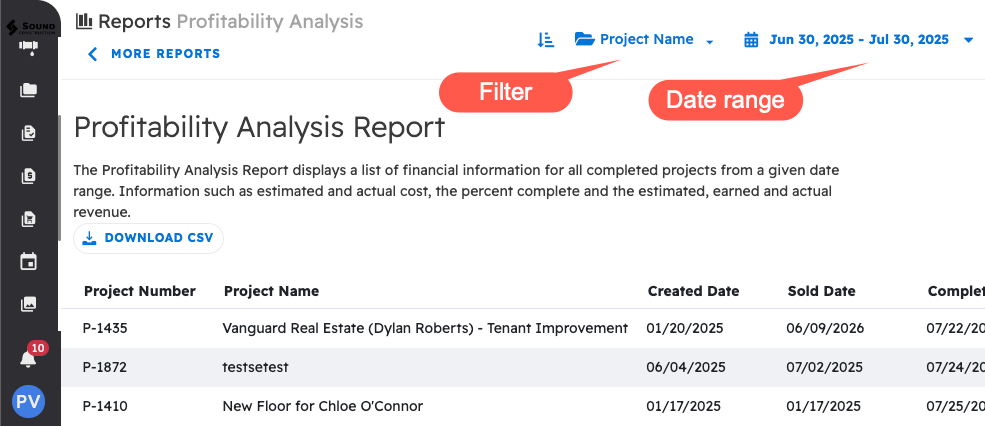
This ends the financial reports in projul. Now onto a brief overview of the sales reports.
Sales Reports
Estimator Estimated Revenue Report
The “Estimator Estimated Revenue” report is a report and a graphical representation of all approved estimates’ estimated revenue, organized by estimator over the last 12 months. Like every other report, this is created automatically. This report is really good for keeping track of your sales and estimators.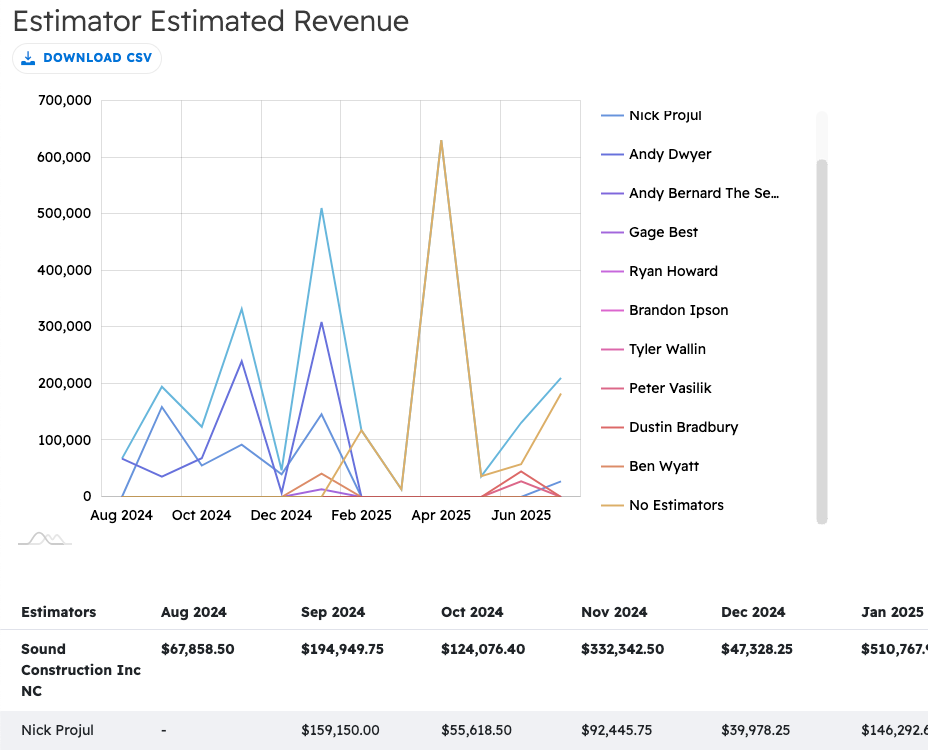
Project Type Estimated Revenue
The “Project Type Estimated Revenue” report is a list and a graphical representation of all approved estimates’ estimated revenue, organized by project type over the last 12 months. This report is a great tool for assembling info on your projects and estimators.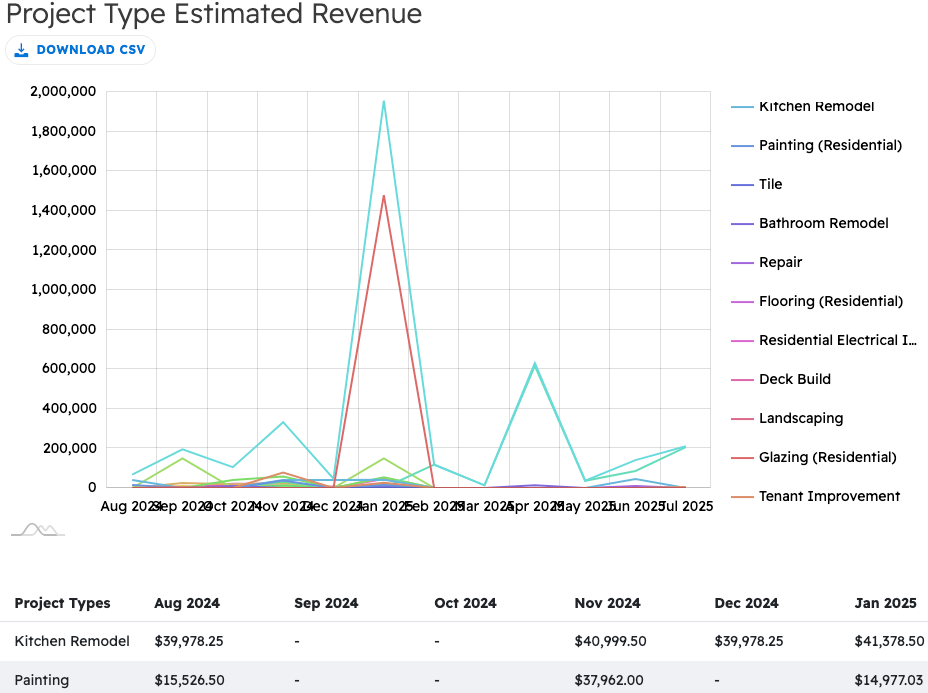
Leads Dashboard
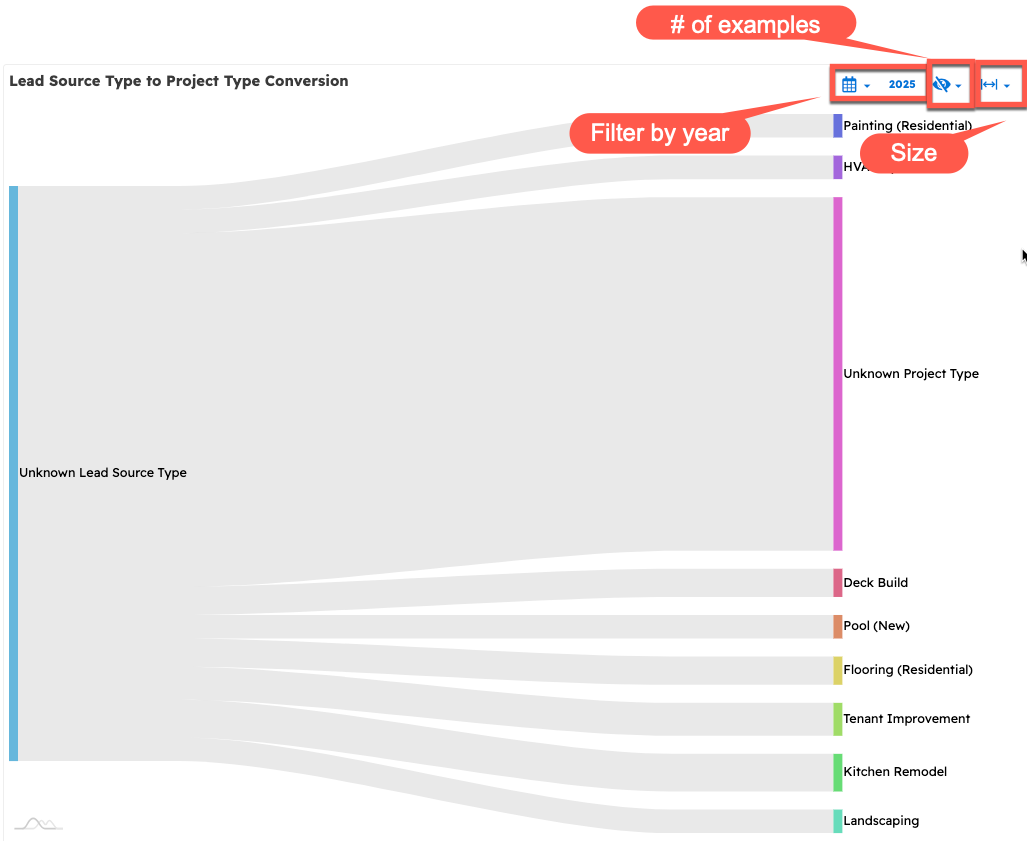
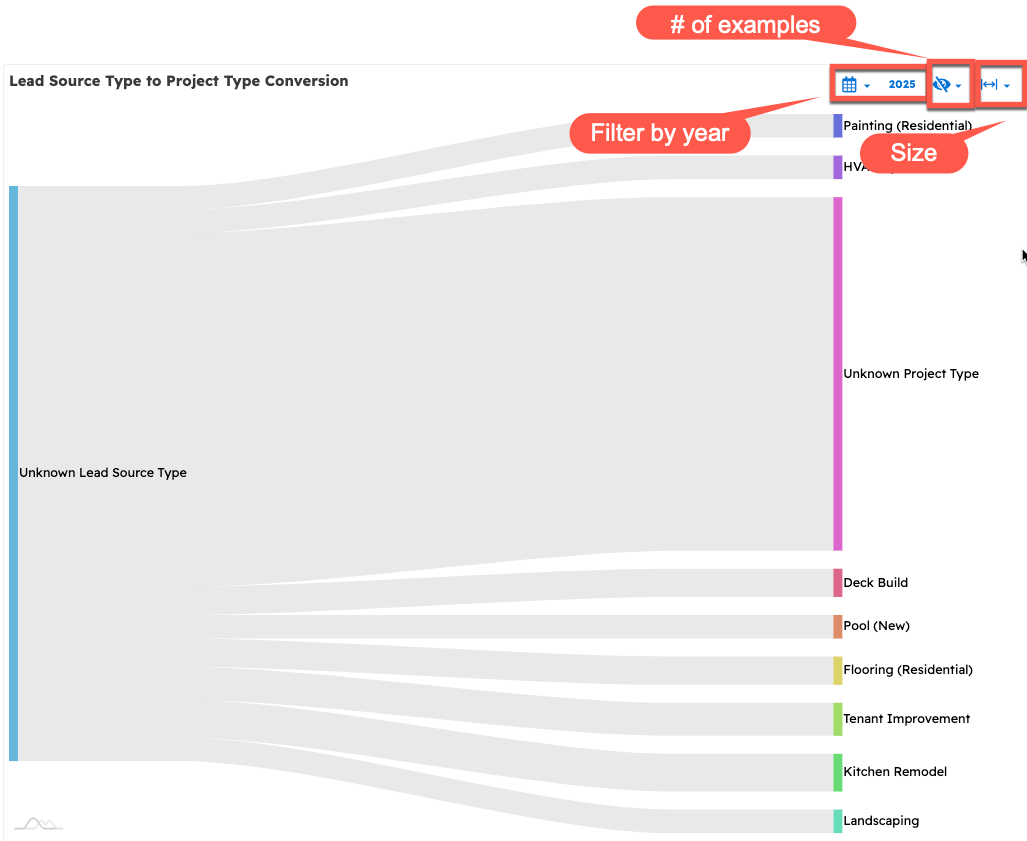
The “Leads Dashboard” is a set of graphical representations of four smaller reports: "Lead Source Conversion", "Lead Sales by Type", "Sales by Zip Code", and "Lead Source Type to Project Type Conversions". These reports together can really help you see the minutiae and broader scope of how your leads are working for you.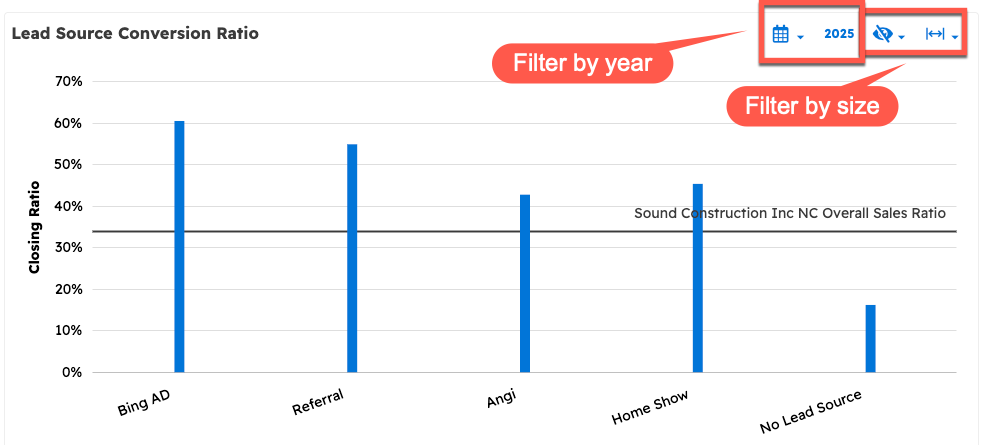
Estimator Reports
The “Estimator Reports” page shows graphs for three smaller reports: "Monthly Sales by Estimator", "Sales Ratio by Project Type per Estimator", and "Sales Ratio by Estimator". This report can be your best tool for keeping track of your estimators and your sales information.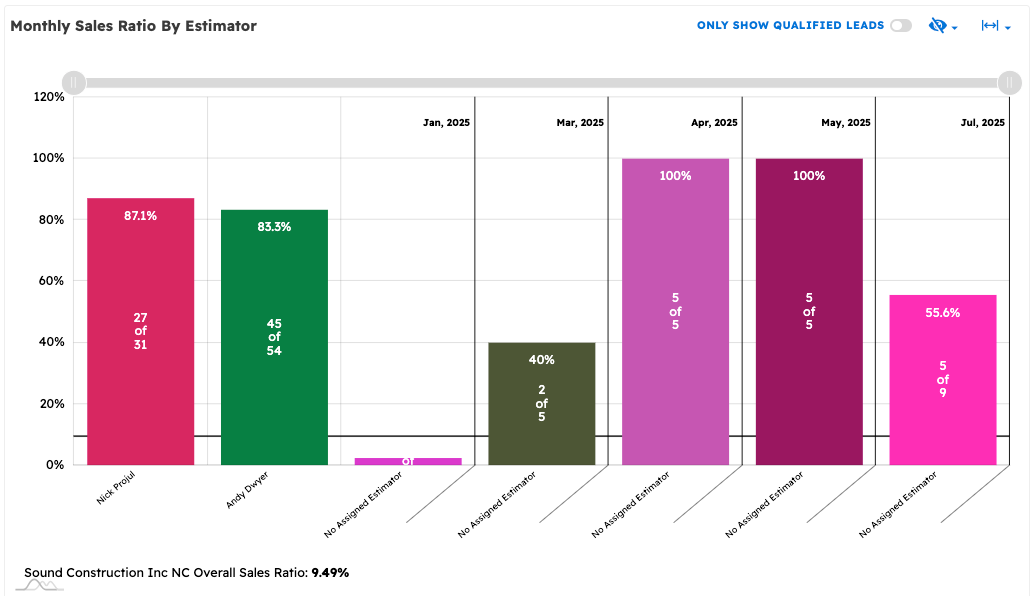
The Leads Report
Finally “The Leads Report” is a spreadsheet style report which displays all leads gathered within the selected time frame. This report is a great general overview of your leads.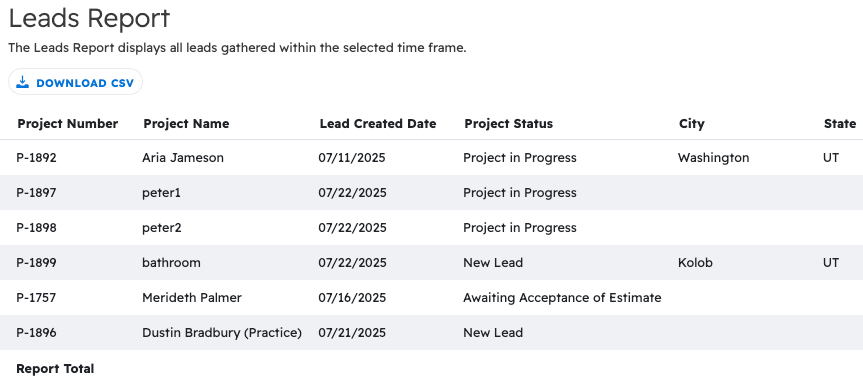
All of these reports together are stellar tools which can be used to seriously improve the efficiency and ease of gathering information and making decisions.
Questions? Let's Chat.
support@projul.com
(844) 776-5853