![Projul Logo 345PX wide.png]](https://knowledge.projul.com/hs-fs/hubfs/Projul%20Logo%20345PX%20wide.png?height=40&name=Projul%20Logo%20345PX%20wide.png)
Copy a prompt below, swap the bracketed details, and send it to your AI to add tile leads, build estimates or schedule jobs in Projul.
Say this
Add a new lead in Projul for [Ana Castellano] called [Castellano Master Bath Tile] at [1140 Highland Dr, Salt Lake City, UT 84106]. Scope is [tub surround tear-out, curbless shower in 12x24 porcelain, hex mosaic floor]. Likelihood of sale [60]%, set me as the estimator.
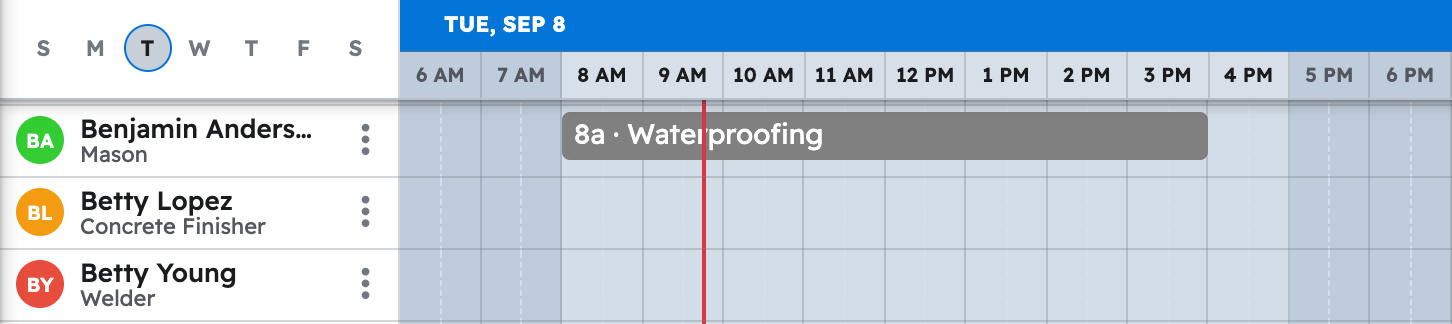
Build the schedule for [Castellano Master Bath Tile] in Projul starting [Monday March 9]: demo and haul-off [1 day] with the [prep crew], substrate prep and self-leveler [1 day] with the [prep crew], backer board and pan [1 day] with [Marisol Vega], waterproofing [1 day] with [Marisol Vega], flood test [1 day] with nobody on it, layout and dry lay [half a day], setting [3 days] with [Marisol Vega] and [Tomas Reed], mortar cure [1 day], grout and clean [1 day] with [Tomas Reed], seal and final caulk [half a day], punch list [half a day]. Skip weekends. Work days [7:30 am to 4 pm].
What happens
Your AI creates the lead or task once you approve. Each one lands in Projul: the lead on "Lead pipeline", the schedule on "Schedule" for everyone assigned.
Note: Publishing and sending an estimate are done in Projul, not by your AI. See Can my AI publish or send an estimate?
Watch it work
Short videos of Projul AI Connect doing this kind of job:
- Site visit notes to estimate (1:06)
- Voicemail to new lead (0:47)
- Shift the schedule for a delay (0:49)
New to Projul AI Connect? Watch the overview video (2:37): what it is, how to set it up, and an estimate built from site notes.
Questions? Let's Chat.
support@projul.com
(844) 776-5853