![Projul Logo 345PX wide.png]](https://knowledge.projul.com/hs-fs/hubfs/Projul%20Logo%20345PX%20wide.png?height=40&name=Projul%20Logo%20345PX%20wide.png)
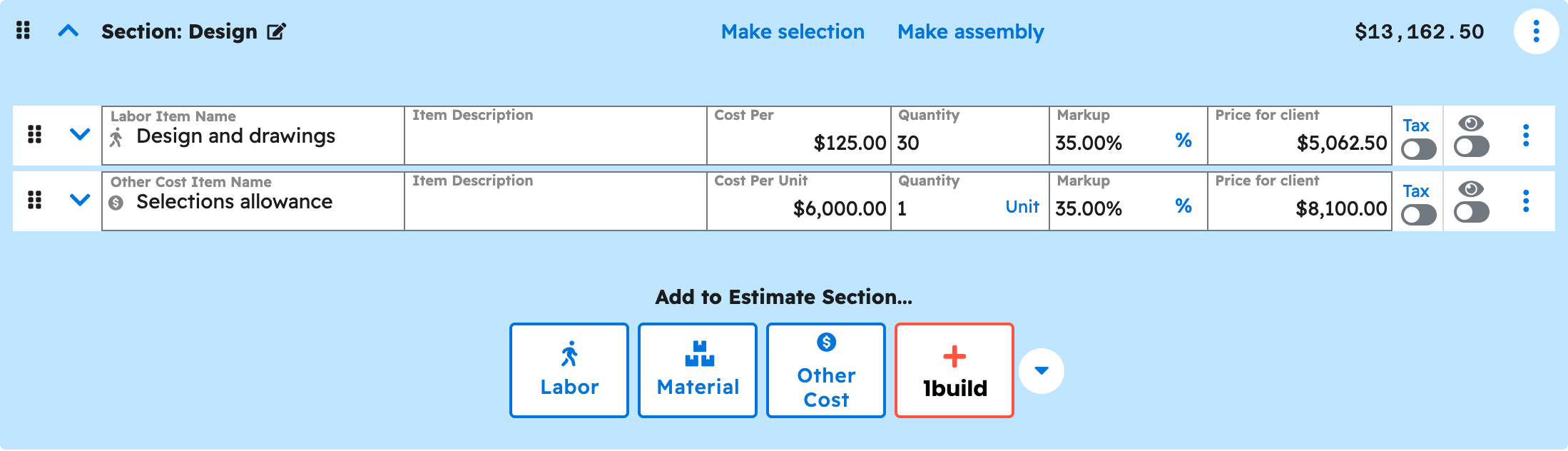
Describe the job like you would brief your estimator, and your AI builds a priced Draft estimate in Projul with a section for each phase.
Say this
Build an estimate in Projul for [Delgado Kitchen and Great Room]. Sections: design and preconstruction, permits and fees, demolition, framing and structural, rough-in, insulation and drywall, finish carpentry, flooring and tile, paint, final clean.
Demolition: [dust and floor protection, 16 hours at $52/hr plus 45%]; [30-yard dumpster, 2 each at $625 plus 15%].
Framing: [LVL header and posts, $2,180 plus 25%]; [framing labor, 96 hours at $58/hr plus 45%].
Apply our [Utah] sales tax and give me the total for each section.
The job needs a project or lead first; ask your AI to create one, or see How do I have my AI handle design-build leads and follow-ups? List the phases in order and price each line: a lump sum, or a quantity and unit cost with your markup. For finishes the client hasn't picked, ask for a Selections section instead.
What happens
Your AI approves the action, then it lands in "Estimates" as a priced Draft. Click "Estimates" in Projul to see it and keep editing there or through your AI.
Note: Publishing, sending and approval happen in Projul, not through your AI. See Can my AI publish or send an estimate?
Questions? Let's Chat.
support@projul.com
(844) 776-5853