![Projul Logo 345PX wide.png]](https://knowledge.projul.com/hs-fs/hubfs/Projul%20Logo%20345PX%20wide.png?height=40&name=Projul%20Logo%20345PX%20wide.png)
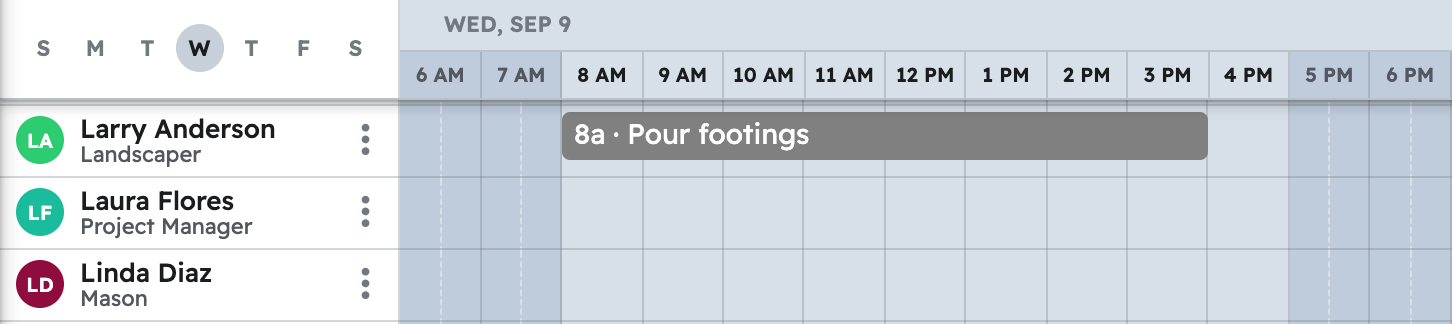
Tell your AI the job, the task, when it happens, and who's on it, and it creates the task on the "Schedule".
Say this
Create a task on [Thompson Deck Rebuild] in Projul called [Tear out existing deck] for [next Wednesday] from [8 am to 4 pm], and put [Grace Oakes] and [Priya Hutton] on it.
Create a task on [Thompson Deck Rebuild] in Projul called [Tear out existing deck] for [next Wednesday, 8 to 4], with [Grace Oakes] and [Priya Hutton] on it, and these steps: [disconnect and cap the deck light, remove railing and boards, cut and pull framing, load dumpster and sweep].
What happens
Your AI asks you to approve, then confirms the task. Leave out a date and it becomes an unscheduled task instead. In Projul, click "Schedule" to see it on each assigned person's row. For checklists, see How do I use checklists and complete tasks with my AI?
Note: Connect does not know your time zone, so say the zone you mean, for example "8 am Pacific", and check the "Schedule" afterward.
Questions? Let's Chat.
support@projul.com
(844) 776-5853