![Projul Logo 345PX wide.png]](https://knowledge.projul.com/hs-fs/hubfs/Projul%20Logo%20345PX%20wide.png?height=40&name=Projul%20Logo%20345PX%20wide.png)
Tell your AI what happened and which job it was about, and it logs the communication on the project in Projul.
Say this
Log on [Rivera Kitchen Remodel] in Projul that I called [Sam Rivera] today, reached him, and he confirmed the start date.
Log on [Rivera Kitchen Remodel] in Projul that I tried calling [Sam] at 4 pm and got no answer.
What happens
Your AI asks you to approve, then confirms it logged the message with the method, direction, and whether contact succeeded. In Projul, open the project's three-dot menu and click "Open Messages" to see it. A message can also go on a client, task, or estimate instead. See How do I add messages to clients, tasks and estimates with my AI?
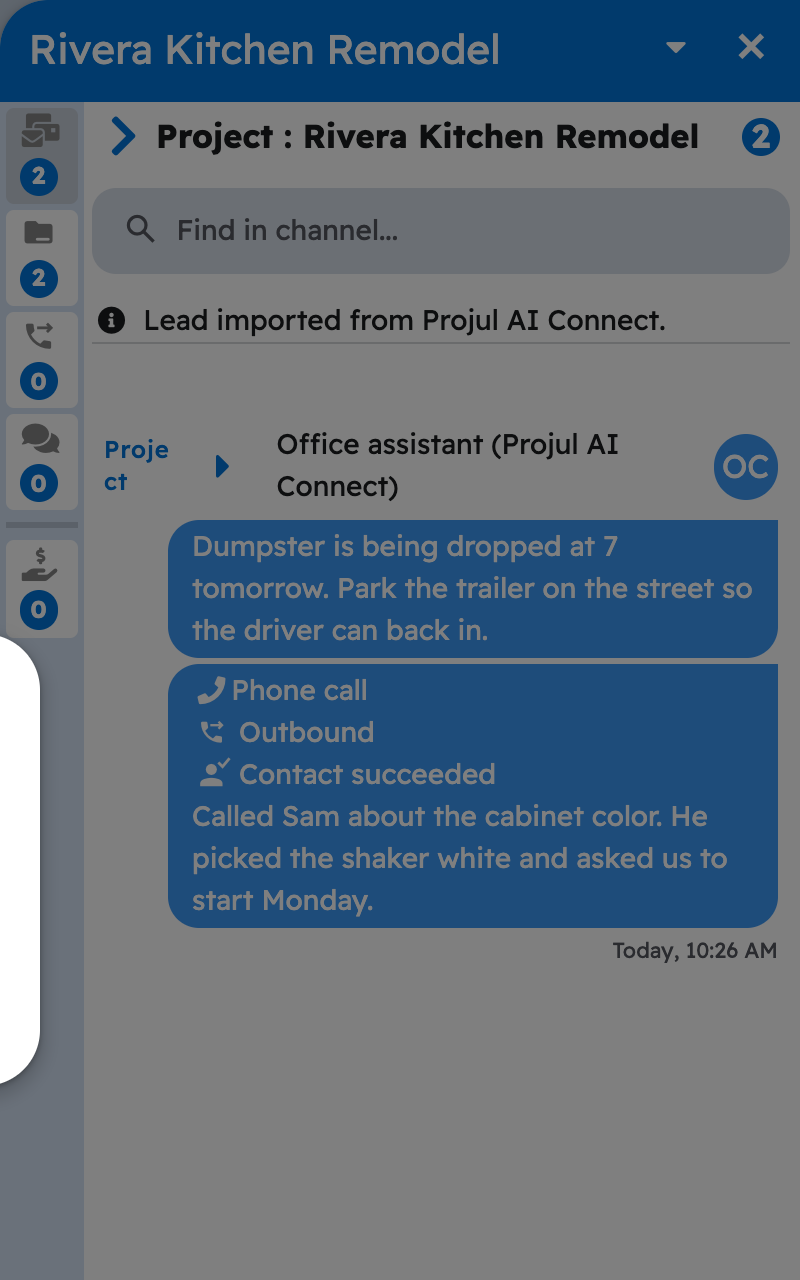
Note: This logs to the project's "Messages", not "Client Follow-Ups", so it does not count as a follow-up on "Lead pipeline". Your AI needs a Read-Write key. See How do I get my Projul AI Connect API key?
Questions? Let's Chat.
support@projul.com
(844) 776-5853