![Projul Logo 345PX wide.png]](https://knowledge.projul.com/hs-fs/hubfs/Projul%20Logo%20345PX%20wide.png?height=40&name=Projul%20Logo%20345PX%20wide.png)
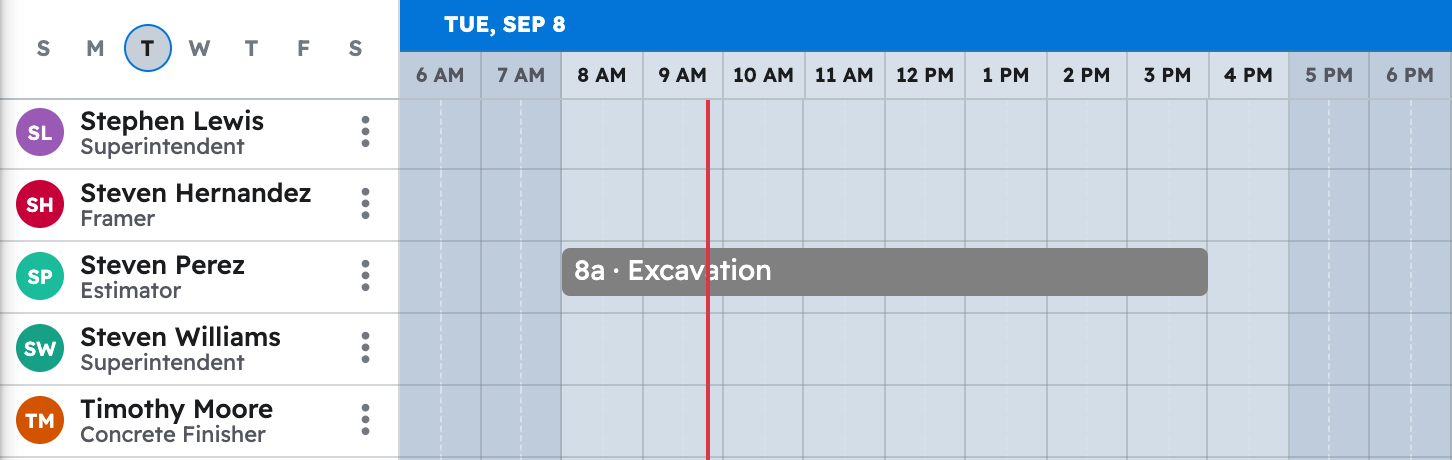
Tell your AI the phase, how long it takes and who is on it, and it puts the task on the "Schedule".
Say this
Build the schedule for [Alvarez Pool Build] in Projul starting [Monday April 14]. Excavation is [1 day] with the [dig crew]. Steel is [2 days] with [Marco Ruiz] and [Danny Poole]. Gunite is [1 morning] with the [gunite sub], then [7 days] of cure. Tile and coping is [3 days] with the [tile crew]. Skip weekends, work days are [7 am to 3:30 pm].
Rain today. Push [Layout and excavation] on [Alvarez Pool Build] in Projul to [tomorrow] and move steel, plumbing and gunite back one working day each. Keep the same crews.
Name a team, such as your dig or tile crew, and everyone on it now is added to the task. Describe the whole build in one request and your AI creates every phase in turn. See How do I have my AI build a whole job schedule at once?
What happens
Your AI approves each task, then places it. Click "Schedule" in the left menu; each task also shows under "Task list", "Timeline" and "Gantt".
Note: Time tracking is not yet available to your AI; hours, daily logs and purchase orders are handled in Projul. See Which Projul features are not available to my AI yet?
Questions? Let's Chat.
support@projul.com
(844) 776-5853