![Projul Logo 345PX wide.png]](https://knowledge.projul.com/hs-fs/hubfs/Projul%20Logo%20345PX%20wide.png?height=40&name=Projul%20Logo%20345PX%20wide.png)
Tell your AI each phase, its duration, and who is on it, and it creates the tasks on the "Schedule."
Say this
Build the schedule for [Whitfield Roof Replacement] in Projul starting [Monday May 4]. Material drop is [the Friday before] with [Tomas Reyes]. Tear-off and dry-in is [1 day] with the [Tear-off crew], with decking repairs the same day by [Tomas Reyes] and [Kyle Hobart]. Shingles are [2 days] with the [Shingle crew]. Flashing and metal details are [1 day] with [Tomas Reyes]. Ridge vent and ridge cap are [half a day]. Cleanup, magnet sweep and final walk are [half a day] with [Ana Vasquez]. Skip weekends. Work days are [6:30 to 3].
Rain, wind or a late delivery move a schedule; name the task and how far to shift it, and your AI moves it.
What happens
Your AI creates the tasks and places them on the "Schedule" for the people or crew named.
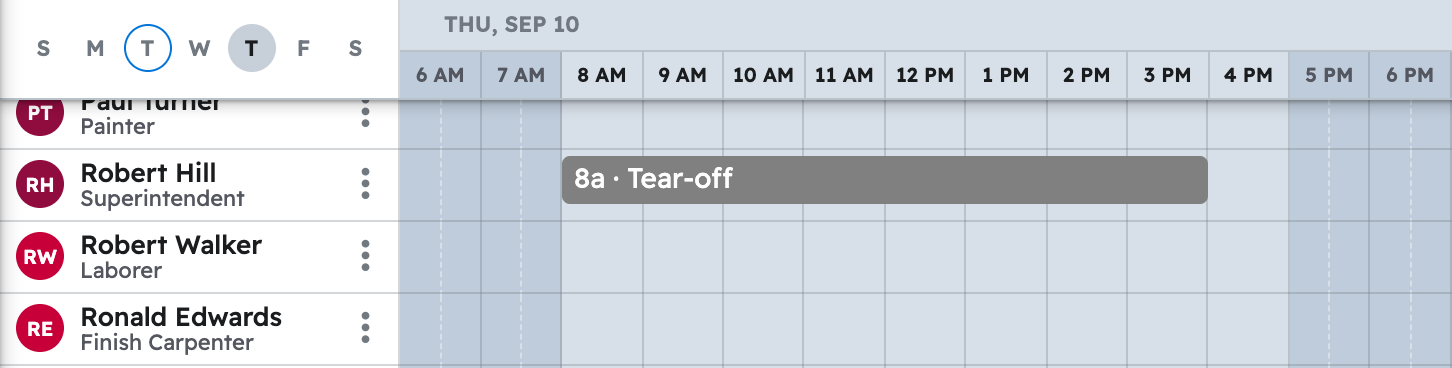
Note: Naming a crew assigns whoever is on it now; a later roster change won't change a job already scheduled.
Prompts in one place: Copy-paste prompts: roofers
Questions? Let's Chat.
support@projul.com
(844) 776-5853