![Projul Logo 345PX wide.png]](https://knowledge.projul.com/hs-fs/hubfs/Projul%20Logo%20345PX%20wide.png?height=40&name=Projul%20Logo%20345PX%20wide.png)
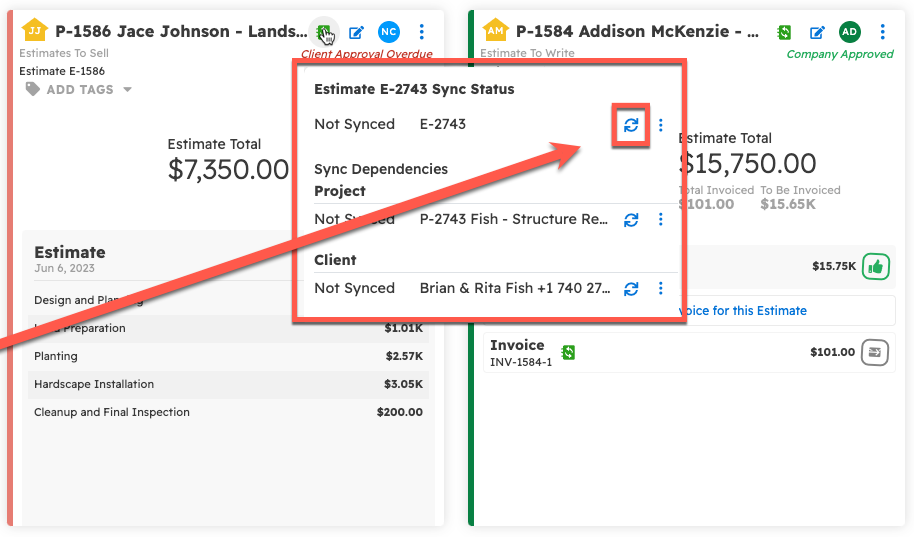
After you connect Projul to QuickBooks, you can sync an estimate by hand. Click the QuickBooks icon on the estimate, then click the circular "sync" icon.
To see how you can set up syncing Projul with QuickBooks, follow this link: QuickBooks Online Integration & Settings Explanation
Start by opening the Estimates tab from the left sidebar.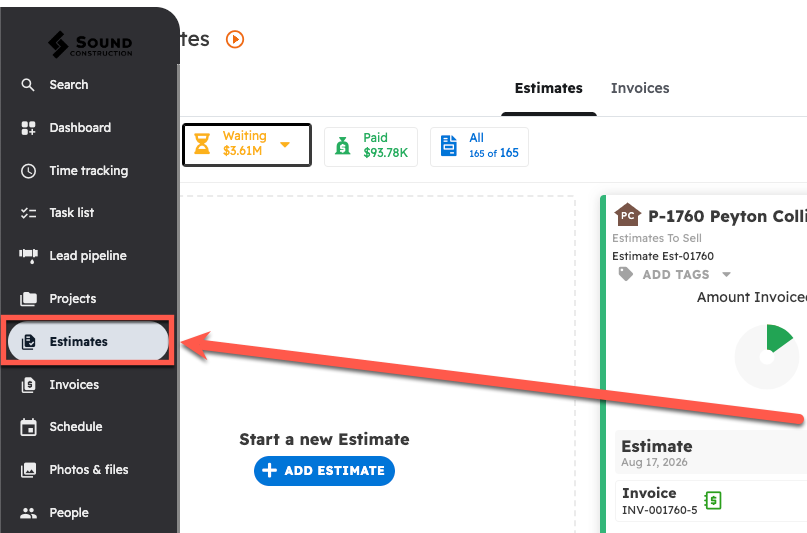
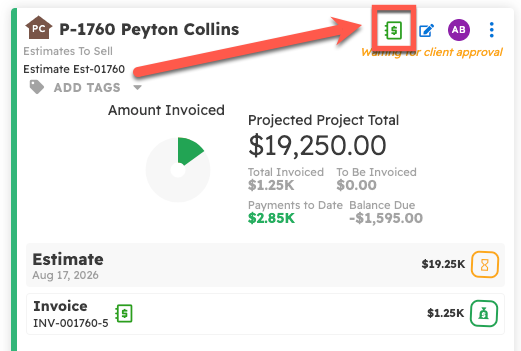
Once on the Estimates page, navigate to the Estimate that you would like to edit and click on the QuickBooks icon in the top right corner of the panel.
Next, select the circular "sync" icon to sync that Estimate with QuickBooks Online.
Questions? Let's Chat.
support@projul.com
(844) 776-5853