![Projul Logo 345PX wide.png]](https://knowledge.projul.com/hs-fs/hubfs/Projul%20Logo%20345PX%20wide.png?height=40&name=Projul%20Logo%20345PX%20wide.png)
Projul AI Connect lets your AI read and update your Projul account: leads, estimates, schedule, photos and messages. Turn it on under "Settings" by creating an API key under "Projul AI Connect", then paste it into your AI tool.
Contents
Leads and clients
Your AI can add a client and a lead, set the address and likelihood of sale, and move it through your pipeline.
Add a lead in Projul for [Dana Whitaker], phone [(435) 555-0188]. Call it [Whitaker 200A Service Upgrade], job at [742 N Bluff St, St. George, UT 84770]. Estimator is me, likelihood [70]%.
See Electrical leads and follow-ups.
Estimates and change orders
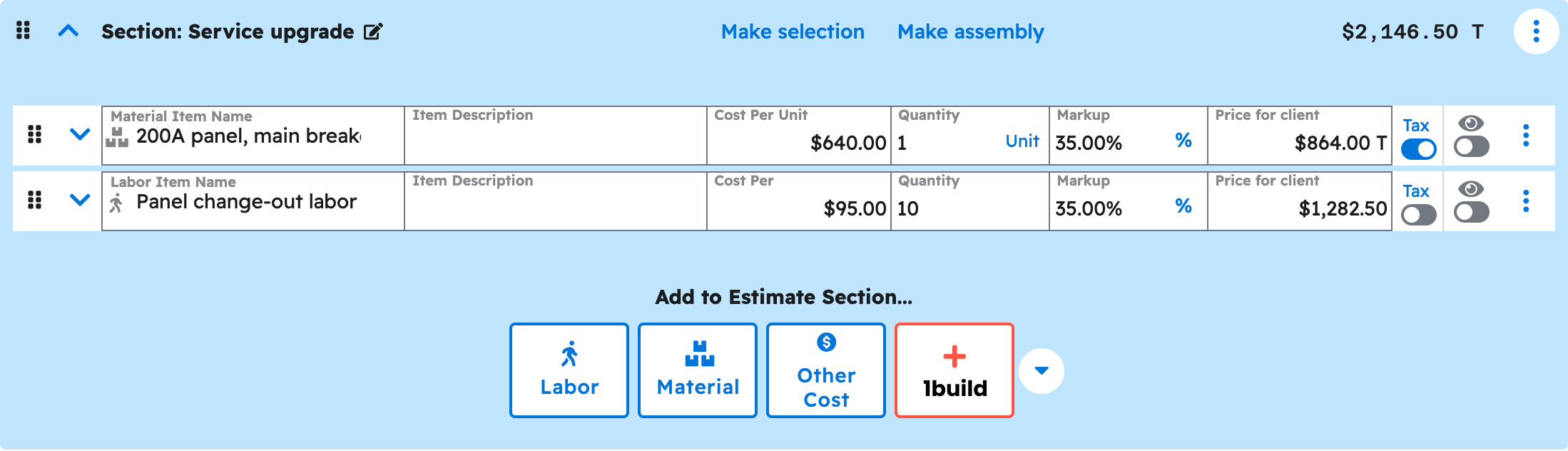
Your AI can build an estimate from scratch or from a template, pricing each line by labor, material or other, quantity, cost and markup, and add a change order at any status, including one already approved.
Build an estimate in Projul for [Whitaker 200A Service Upgrade] with sections for [permits], [service and panel], and [EV charger circuit]. I will give you the quantities and my costs.
See Build an electrical estimate.
Scheduling and crews
Your AI can create tasks such as rough-in, trim-out and inspection, put them on the calendar, assign a person or a team, and move a task to a new date.
Move the [Rough-in] task on [Perez Kitchen Remodel] in Projul from [Tuesday] to [Thursday], same crew, and push [Rough inspection] to [Monday].
See Schedule electrical crews and jobs.
Photos and files
Your AI can attach a panel photo or permit to a project, estimate or line item, and find files already in Projul.
Attach [panel-before.jpg] and [panel-after.jpg] to [Whitaker 200A Service Upgrade] in Projul, labeled [Existing fuse panel] and [New 200A load center].
See Upload a job-site photo or document.
Messages and call logs
Your AI can log a call, text or site visit on a project, client, task or estimate, with the contact method, direction and outcome. That is what "time since last follow-up" on "Lead pipeline" counts.
Log on [Whitaker 200A Service Upgrade] in Projul that I called [Dana] this morning; she is waiting on the utility to confirm the meter location.
See Log a call, text or site visit.
Templates
Your AI can build and reuse estimate templates and cost-item library entries, so a recurring job starts from your own pricing.
Create an estimate template in Projul called [200A Service Upgrade] using the sections, line items, and costs from [Whitaker 200A Service Upgrade].
See Copy-paste prompts: electricians.
What your AI cannot do yet
Your AI builds estimates and change orders as Drafts; publishing, sending and messaging a client is done by a person. Invoices, payments, time tracking, purchase orders, daily logs and QuickBooks are not available to your AI.
Note: The current list is kept in Which Projul features are not available to my AI yet?.
Where to start
- Get your API key.
- the "Connect your AI" section.
- Check the connection.
- Build an electrical estimate.
- Add a lead.
- Put the week on the board.
- Copy-paste prompts: electricians.
Questions? Let's Chat.
support@projul.com
(844) 776-5853