![Projul Logo 345PX wide.png]](https://knowledge.projul.com/hs-fs/hubfs/Projul%20Logo%20345PX%20wide.png?height=40&name=Projul%20Logo%20345PX%20wide.png)
Your AI can build and price an estimate on a project. Publishing, sending, approving and invoicing stay in Projul.
How an estimate is put together
- A project holds one estimate: a head document plus any change orders under it.
- Each version has its own status, date, expiry, tax rate, discounts and sections.
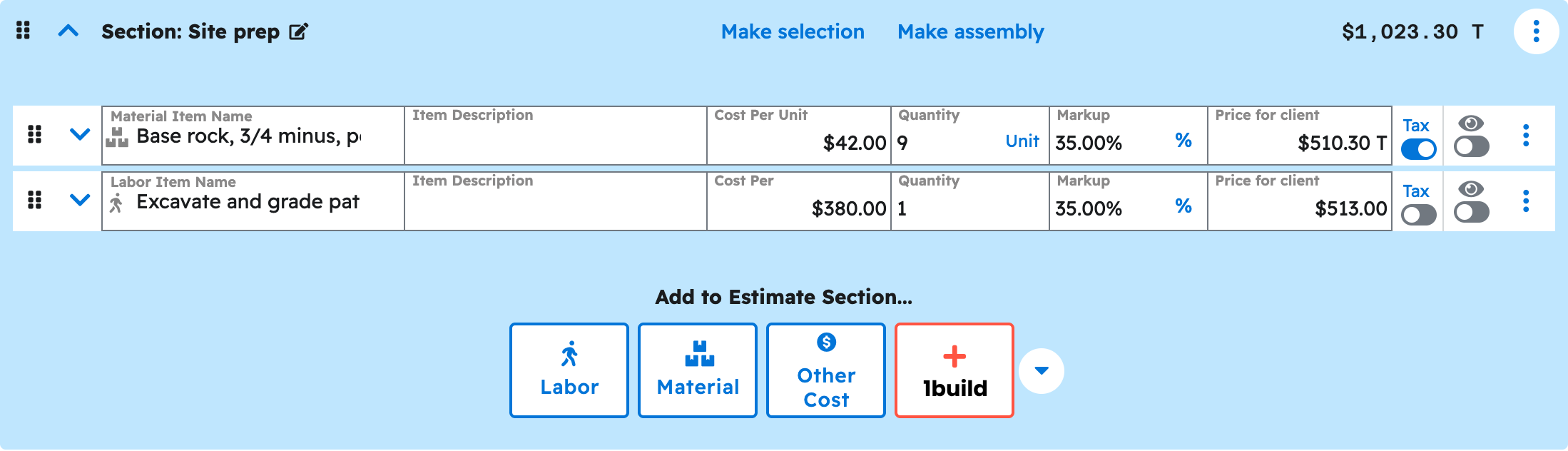
- A section holds line items and can hold subsections. Projul calculates every subtotal and total.
Creating an estimate
Your AI creates the estimate empty, from one of your templates, or from your description of the job. It starts as a Draft. Account defaults, like your usual template, tax rate and expiry, are not applied automatically, so name them or add them in Projul afterward. See How do I have my AI create an estimate from one of my templates?
Sections and line items
- Adds, renames, reorders and removes sections and line items, and copies in your saved templates.
- Sets what the client sees: prices, quantities, line visibility and photos.
- Can set up subsections, client selections, assemblies and display-only sections.
Prices, tax and discounts
Prices come from quantity, cost and markup, calculated by Projul. Tax is one rate for the estimate, or per line, chosen from your Projul settings. Discounts are the ones already set up in Projul, applied by name.
Introduction, contract text and change orders
Your AI can write the introduction and contract text that print with the estimate. A change order is a version added under the estimate, which your AI can add at any time to price added, changed or removed work.
What happens after Draft
Your AI edits a version while it is a Draft, in review, or sent back for revision. Once you publish, send, or the client approves it, your AI can still read it and add notes, but the numbers lock. Publishing, sending, approving, rejecting, invoicing and payments are all done in Projul. See Can my AI publish or send an estimate?
Questions? Let's Chat.
support@projul.com
(844) 776-5853