![Projul Logo 345PX wide.png]](https://knowledge.projul.com/hs-fs/hubfs/Projul%20Logo%20345PX%20wide.png?height=40&name=Projul%20Logo%20345PX%20wide.png)
Projul AI Connect lets your AI work inside your Projul account for a concrete company. Turn it on in "Settings" by creating an API key under "Projul AI Connect", then paste that key into your AI.
Contents
Leads and clients
Your AI can add a lead for a foundation bid or a driveway tear out, create the client if new, set the pipeline stage, and mark a job sold or lost.
Add a lead in Projul called [Lot 14 Foundation] for [Harlan Ridge Builders], [1,780 SF] footing and stem wall.
See Concrete leads and follow-ups.
Estimates and change orders
Your AI can build an estimate with sections for excavation, forms, steel, concrete and finish, price each line item by quantity and unit, and add a change order priced the same way when the subgrade needs overexcavation. It saves both as a Draft.
Build an estimate in Projul for [Marchetti Driveway and Patio] using my [Driveway Tear Out and Replace] template, [1,240 SF].
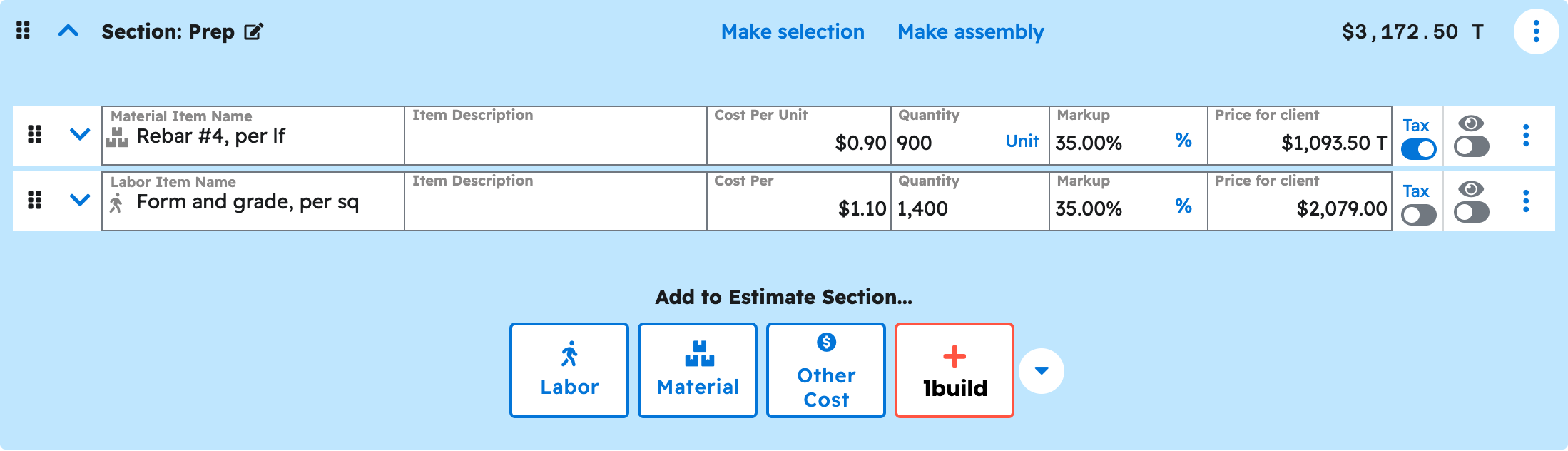
See Build a concrete estimate and add a change order.
Scheduling and crews
Your AI can create a task for each step of the pour sequence, put it on the "Schedule" for the right day, assign the crew, add a checklist, and move a task when weather changes the day.
Schedule [Lot 14 Foundation] in Projul: forms [Monday], pour [Wednesday] with the [finish crew], saw cut [Thursday morning].
See Schedule concrete crews and jobs.
Photos and files
Your AI can attach photos and documents already in Projul to a job, a task or an estimate, and hand you a download link when you need a file back out. Uploading a new file needs a tool that can transfer files.
Attach the [cracked driveway] photo and the [soils report] to [Marchetti Driveway and Patio] in Projul.
See Attach files to a task or estimate.
Messages and call logs
Your AI can log a call, text or site visit on a lead, client, task or estimate, such as the superintendent approving extra footing depth.
Log a call on [Lot 14 Foundation] in Projul: the superintendent approved [6 inches] of extra footing depth.
See Log a call, text or site visit.
Templates
Your AI can build and reuse estimate, section and line-item templates, such as a two-car driveway tear out and replace, so a job you quote often does not get typed from scratch each time.
Create an estimate template in Projul called [Driveway Tear Out and Replace, 2-Car], priced per [square foot].
See Build and reuse templates.
What your AI cannot do yet
- Invoices and payments.
- Publishing or sending an estimate or a change order. Your AI leaves it as a Draft.
- Time tracking.
- Purchase orders.
- Daily logs.
- QuickBooks sync.
Note: The current list is kept in Features not available to my AI yet.
Where to start
- Get your API key
- the "Connect your AI" section
- Check the connection
- Build a concrete estimate
- Run your leads
- Schedule the crews
- Copy-paste prompts for concrete contractors
Questions? Let's Chat.
support@projul.com
(844) 776-5853